Accounting Software Review: Tax Season Efficiency for US Businesses in 2025

Accounting software is essential for US businesses aiming to maximize tax season efficiency in 2025 by streamlining financial processes, ensuring compliance, and facilitating accurate reporting.
As tax season approaches, US businesses are seeking ways to streamline their financial processes and ensure compliance. A key tool in this endeavor is robust **accounting software**, which can significantly improve efficiency and accuracy. With the right software, businesses can navigate the complexities of tax preparation with greater ease and confidence.
Choosing the Right Accounting Software for 2025
Selecting the appropriate accounting software is crucial for businesses aiming to optimize their tax season efficiency. Different software solutions cater to various business needs and sizes, each offering unique features and benefits. Understanding these differences is the first step in making an informed decision. The right software can automate tasks, reduce errors, and provide valuable insights into financial performance.
Key Features to Consider
When evaluating accounting software, several core features should be considered to ensure it meets the specific needs of your business. These features impact not only tax season efficiency but also overall financial management throughout the year.
- Tax Compliance: Ensure the software is updated with the latest tax laws and regulations.
- Automation: Look for features that automate tasks such as bank reconciliation and invoice processing.
- Reporting: The software should generate comprehensive financial reports for tax preparation and business analysis.
- Integration: Check if the software integrates with other business tools, such as CRM or payroll systems.
Selecting a software that integrates well with other tools can save time and reduce the risk of errors associated with manual data entry. Additionally, ensure that the software provider offers adequate customer support and training resources.
Top Accounting Software Options for US Businesses
Several accounting software options are available to US businesses, each with its own strengths and weaknesses. Understanding the features and benefits of each can help businesses make an informed decision tailored to their specific needs. Some popular options include cloud-based solutions and desktop software, each offering different levels of accessibility and functionality.
Cloud-Based Accounting Software
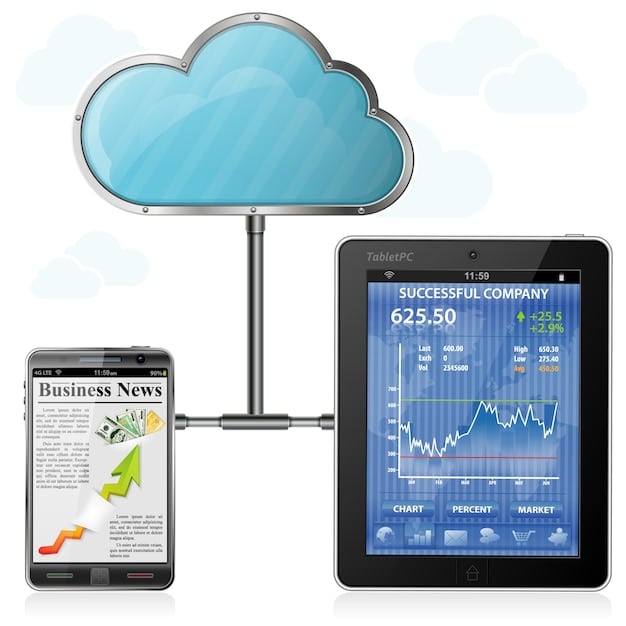
Cloud-based accounting software is increasingly popular due to its accessibility and scalability. These solutions allow businesses to access their financial data from anywhere with an internet connection, making it ideal for remote teams and businesses on the go.
- Xero: Known for its user-friendly interface and comprehensive features, Xero is a popular choice for small and medium-sized businesses.
- QuickBooks Online: A widely used cloud-based solution offering a range of features, including invoice management, expense tracking, and reporting.
- Sage Intacct: Geared towards larger businesses, Sage Intacct offers advanced features such as multi-entity consolidation and revenue recognition.
Cloud-based software also often includes automatic updates, ensuring businesses always have the latest features and security enhancements. However, it is important to consider internet reliability and data security when choosing a cloud-based solution.
Desktop Accounting Software
Desktop accounting software is installed directly on a computer and offers more control over data storage and security. While it may lack the accessibility of cloud-based solutions, it can be a suitable option for businesses with specific security or compliance requirements. Desktop software also tends to be more affordable upfront, as it does not require ongoing subscription fees.
Popular Desktop Options
Several desktop accounting software options are available, each offering a unique set of features and benefits. Businesses should consider their specific needs and priorities when selecting a desktop solution.
- QuickBooks Desktop: A traditional desktop solution offering a wide range of features, including invoicing, payroll, and inventory management.
- Sage 50cloud: A hybrid solution that combines the benefits of desktop software with cloud-based features such as remote access and automatic backups.
- অ্যাকা ంట్ఎడ్జ్ ప్రో: A comprehensive desktop solution designed for small and medium-sized businesses, offering features such as accounting, payroll and inventory.
Desktop software requires businesses to manage their own backups and updates, which can be more time-consuming than cloud-based solutions. Additionally, data accessibility is limited to the computer on which the software is installed.
Maximizing Tax Season Efficiency with Automation
Automation is a key component of efficient tax preparation. Accounting software can automate many of the manual tasks associated with tax season, freeing up time for businesses to focus on other important activities. By automating tasks such as data entry, reconciliation, and reporting, businesses can reduce errors and ensure compliance.
Automating Key Tasks
Several tasks can be automated with accounting software, significantly improving tax season efficiency. These tasks include:
- Data Entry: Automate the import of bank transactions and other financial data to reduce manual data entry.
- Reconciliation: Automatically reconcile bank statements and other financial records to ensure accuracy.
- Reporting: Generate tax reports and other financial statements automatically to streamline tax preparation.
- Invoice Processing: Automate invoice creation and payment reminders to improve cash flow and reduce manual effort.
By leveraging automation features, businesses can minimize the risk of errors and ensure that their financial data is accurate and up-to-date. This leads to a smoother and more efficient tax preparation process.
Ensuring Compliance with Updated Tax Laws
Staying compliant with updated tax laws is crucial for US businesses. Accounting software plays a vital role in ensuring that businesses adhere to the latest regulations and avoid penalties. The software should be updated with the latest tax laws and regulations, and it should provide tools for generating accurate tax reports. Monitoring changes in tax law throughout the year is also important.
Tools for Compliance
Accounting software offers several tools to help businesses stay compliant with tax laws:
- Tax Tables: The software should include updated tax tables to accurately calculate payroll taxes and other withholdings.
- Tax Forms: The software should generate accurate tax forms, such as W-2s and 1099s.
- Compliance Alerts: Some software solutions offer alerts and notifications when tax laws change, helping businesses stay informed.
Ensure that the software is updated regularly to reflect the latest changes in tax law to minimize the risk of non-compliance. Additionally, businesses should consult with a tax professional to ensure they are meeting all their obligations.
Integrating Accounting Software with Other Business Tools
Integrating accounting software with other business tools, such as CRM and payroll systems, can further streamline financial processes and improve tax season efficiency. Integration allows for seamless data transfer between systems, reducing manual data entry and improving accuracy. The integrated solution offers efficiency and accuracy in managing financial data.
Benefits of Integration
Integrating accounting software with other business tools offers several benefits:
- Reduced Data Entry: Eliminate manual data entry by automatically transferring data between systems.
- Improved Accuracy: Reduce errors and improve data accuracy by ensuring that data is consistent across systems.
- Streamlined Processes: Streamline financial processes by integrating accounting software with other business tools.
Before integrating, it’s important to verify that the software is compatible and capable of correctly exchanging data to prevent any integration problems.
Training and Support for Accounting Software
Adequate training and support are essential for businesses to effectively use accounting software and maximize their tax season efficiency. Software providers should offer comprehensive training resources and reliable customer support to help businesses get the most out of their investment. Training should be provided to the staff using new software for accurate data entry and optimal usage.
Key Support Features
When evaluating accounting software, consider the following training and support features:
- Training Resources: Look for software providers that offer training resources such as tutorials, webinars, and user manuals.
- Customer Support: Ensure that the software provider offers reliable customer support via phone, email, or chat.
- Community Forums: Check if the software provider has a community forum where users can share tips and ask questions.
Investing in training and support ensures that businesses can effectively use the software and resolve any issues that may arise. This leads to a more efficient and accurate tax preparation process.
| Key Aspect | Brief Description |
|---|---|
| 📊 Automation | Automates data entry, reconciliation, and reporting tasks. |
| ✅ Compliance | Ensures adherence to the latest tax laws and regulations. |
| 🤝 Integration | Connects with CRM and payroll systems for seamless data transfer. |
| 📚 Support | Offers training resources and reliable customer support for optimal usage. |
Frequently Asked Questions (FAQ)
▼
Tax compliance is paramount, ensuring the software is updated with the latest tax laws and regulations to avoid penalties and ensure accurate reporting.
▼
Cloud-based software provides accessibility from anywhere with an internet connection, automatic updates, and scalability, making it ideal for remote teams and businesses on the go.
▼
Desktop software offers more control over data storage and security, often comes with a lower upfront cost, and does not require ongoing subscription fees.
▼
It automates tasks such as data entry, reconciliation, and reporting, reducing manual effort, minimizing errors, and ensuring accurate financial data, leading to a smoother tax preparation process.
▼
Integration with CRM and payroll systems reduces manual data entry, improves accuracy, and streamlines financial processes by allowing seamless data transfer between systems.
Conclusion
In conclusion, selecting the right **accounting software** is a critical decision for US businesses aiming to maximize their tax season efficiency in 2025. By considering key features, exploring different software options, leveraging automation, ensuring compliance, and integrating with other business tools, businesses can streamline their financial processes and navigate tax season with greater ease and confidence.