Advanced Wireless Earbud Settings 2026: Optimize Your Audio
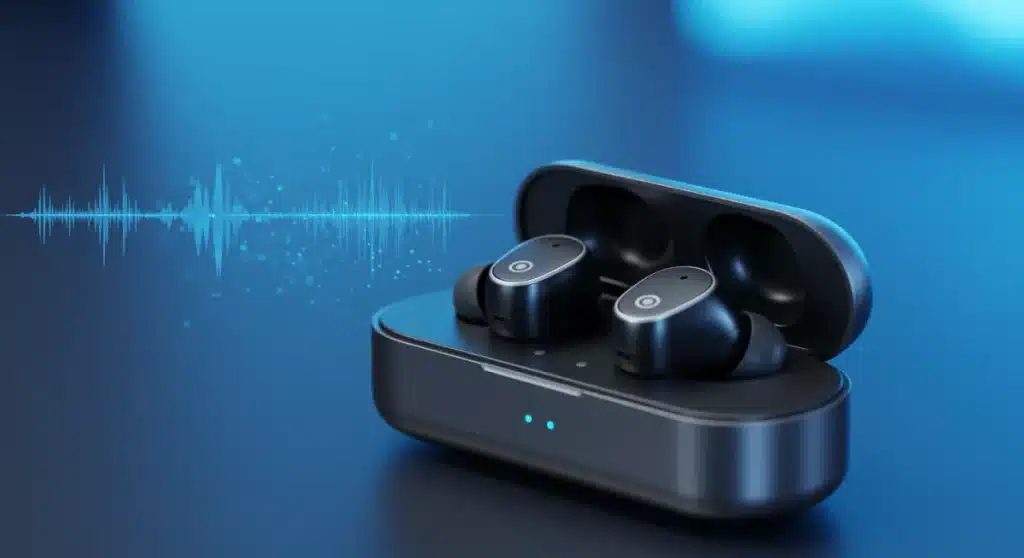
Optimizing wireless earbuds in 2026 involves delving into advanced settings like custom EQ profiles, spatial audio calibration, and personalized noise cancellation to achieve superior sound quality and user experience.
Are you ready to truly elevate your listening experience? In 2026, the world of wireless earbuds has evolved far beyond simple pairing and playback. To genuinely unlock their potential, understanding and utilizing advanced earbud settings is crucial. This guide will walk you through ten sophisticated adjustments that can transform your audio, connectivity, and overall enjoyment.
Mastering Custom Equalizer Profiles
The default sound profile on your wireless earbuds is rarely the best fit for every genre or individual preference. Custom equalizer (EQ) settings offer a powerful way to tailor your audio output precisely. By manipulating frequency bands, you can enhance bass, clarify treble, or bring out vocals, making your music, podcasts, and calls sound exactly how you want them.
Many earbud companion apps now feature intuitive graphical EQs, allowing users to drag and drop frequency points or select from a range of genre-specific presets. Experimenting with these settings can reveal nuances in your audio that you’ve never noticed before.
Why Custom EQs Matter
Custom EQs provide a level of personalization that generic settings simply cannot match. Every individual’s hearing is unique, and so are their preferences for sound. A flat EQ might be accurate, but it might not be enjoyable for someone who loves booming bass or crisp highs. Customization empowers you to create an audio signature that resonates with you.
- Personalized Soundstage: Adjust frequencies to create a wider, more immersive sound.
- Genre Optimization: Fine-tune settings for rock, classical, hip-hop, or spoken word.
- Hearing Compensation: Boost frequencies where your hearing might be less sensitive.
- Clarity Enhancement: Reduce muddy mid-ranges or harsh highs for cleaner audio.
The beauty of custom equalizer profiles lies in their flexibility. You can create multiple profiles for different scenarios, switching between them seamlessly. For instance, one profile for bass-heavy workouts and another for detailed podcast listening.
Optimizing Active Noise Cancellation (ANC)
Active Noise Cancellation has become a staple feature in premium wireless earbuds, but its effectiveness can be significantly enhanced through advanced settings. Beyond simply turning ANC on or off, many modern earbuds offer adjustable levels of noise cancellation, allowing you to fine-tune the amount of external sound blocked out.
This customization is particularly useful in varying environments. A high level of ANC might be perfect for a noisy airplane cabin, while a lower, more transparent setting could be better for a busy street where situational awareness is important. Some earbuds even feature adaptive ANC, which automatically adjusts based on your surroundings.
Adaptive ANC and Transparency Modes
Adaptive ANC utilizes microphones to analyze ambient noise in real-time and adjust the cancellation level accordingly. This provides a dynamic and optimized noise-canceling experience without constant manual adjustments. Transparency Mode, on the other hand, allows external sounds to pass through, enabling you to hear your surroundings without removing your earbuds.
- Environmental Awareness: Stay safe by hearing traffic while walking.
- Quick Conversations: Talk to colleagues or cashiers without pausing your audio.
- Customizable Levels: Adjust how much external sound is let in or blocked out.
Exploring these advanced ANC and transparency options within your earbud’s companion app can dramatically improve your comfort and safety, offering a balanced approach to sound isolation.
Exploring Spatial Audio and 3D Soundscapes
Spatial audio, also known as 3D audio or immersive audio, has revolutionized how we experience sound. This technology creates a perception of sound coming from all around you, adding depth and realism to music, movies, and games. Advanced earbuds in 2026 often include sophisticated spatial audio processing that can be further customized.
This isn’t just about left and right; it’s about height, depth, and distance, creating a truly three-dimensional soundstage. Some implementations even feature head tracking, where the sound source remains fixed relative to your device, even as you move your head, enhancing the immersion.
Calibrating Your Spatial Audio Experience
To get the most out of spatial audio, calibration is key. Many earbud apps offer personalized spatial audio setups, often involving a brief scan of your ear shape to optimize the sound delivery. This ensures the virtual soundstage is perfectly aligned with your unique auditory anatomy.
- Head-Tracking Activation: Enable or disable head-tracking for dynamic sound.
- Virtual Soundstage Adjustment: Fine-tune the perceived size and distance of audio elements.
- Content Optimization: Select spatial audio modes best suited for music, movies, or gaming.
Diving into these settings can transform your media consumption, making every movie feel like a cinema experience and every game more engaging. The subtle adjustments can make a significant difference in immersion.

Enhancing Call Quality with Microphone Settings
Wireless earbuds are not just for listening; they are also essential tools for communication. Advanced microphone settings can significantly improve the clarity of your voice during calls, especially in noisy environments. Many premium earbuds feature multiple microphones and beamforming technology to isolate your voice from background distractions.
Beyond automatic adjustments, some apps allow you to fine-tune microphone sensitivity, engage specific noise reduction algorithms, or even enable a ‘sidetone’ feature, which lets you hear your own voice in the earbuds, preventing you from speaking too loudly.
Fine-Tuning Your Voice Pickup
Optimizing your microphone settings ensures that your voice is always crystal clear, whether you’re in a quiet office or a bustling café. This is particularly important for professional calls and virtual meetings where clear communication is paramount.
- Noise Reduction Levels: Adjust how aggressively background noise is filtered.
- Sidetone Activation: Hear your own voice for a more natural conversation flow.
- Wind Noise Suppression: Specialized settings to minimize wind interference during outdoor calls.
Taking the time to configure these microphone settings can prevent misunderstandings and make your conversations more pleasant and effective for both you and the person on the other end.
Advanced Battery Management and Power Saving
Maximizing battery life is a constant concern for wireless earbud users. While manufacturers strive for longer playtimes, advanced settings within your earbud’s companion app can further optimize power consumption. These settings go beyond simply checking battery levels and delve into how the earbuds manage their power.
Features like automatic power-off, customizable low-power modes, and selective feature disabling can extend your listening sessions significantly. Some apps even offer insights into battery health and suggest ways to prolong its lifespan over time.
Smart Power Saving Features
Modern earbuds are equipped with intelligent sensors that can detect when they are removed from your ears, automatically pausing playback and often entering a low-power state. However, manual adjustments can still yield greater battery efficiency.
- Auto Power-Off Timer: Set a duration after which earbuds automatically turn off if inactive.
- Low-Power Mode Customization: Define which features (e.g., ANC) are scaled back when battery is low.
- Individual Earbud Usage: Utilize one earbud at a time to double effective listening time.
By actively managing these settings, you can ensure your earbuds are always ready when you need them, reducing the frequency of charging and extending their overall utility throughout the day.
Customizing Touch Controls and Gestures
Touch controls on wireless earbuds offer a convenient way to manage playback, calls, and voice assistants without reaching for your phone. However, default gestures might not always align with your preferences. Advanced settings allow you to remap these controls, creating a more intuitive and personalized user experience.
Whether you prefer a single tap for play/pause or a double tap for skipping tracks, customization options empower you to assign functions to different gestures. Some high-end earbuds even support advanced gestures like swiping for volume control or pressing and holding for specific smart assistant activation.
Personalizing Your Earbud Interaction
Tailoring touch controls to your personal workflow can significantly enhance convenience and efficiency. This means less fumbling and more seamless interaction with your audio.
- Remap Functions: Assign specific actions to single, double, or triple taps.
- Volume Control Gestures: Implement swipe-based volume adjustments if supported.
- Voice Assistant Activation: Dedicate a gesture to summon your preferred smart assistant.
Investing a few minutes in customizing these controls can streamline your daily interactions with your earbuds, making them feel like a natural extension of your digital life.
| Key Optimization | Benefit |
|---|---|
| Custom EQ Profiles | Personalize sound for specific genres or hearing needs. |
| Adaptive ANC | Dynamically adjust noise cancellation based on environment. |
| Spatial Audio Calibration | Enhance immersive audio for movies and games. |
| Microphone Noise Reduction | Improve call clarity in noisy surroundings. |
Frequently Asked Questions
Customizing EQ settings allows you to fine-tune the sound profile to your personal preferences and the specific audio content. This results in enhanced bass, clearer vocals, or crisper highs, providing a more enjoyable and personalized listening experience tailored to your unique hearing and genre tastes.
Standard ANC typically offers fixed levels of noise reduction. Adaptive ANC, however, intelligently analyzes your ambient environment in real-time and automatically adjusts the level of noise cancellation. This provides a more dynamic and effective noise-canceling experience, optimizing it for various situations without manual intervention.
Absolutely. Spatial audio creates an immersive, three-dimensional soundscape, making sounds appear to come from specific directions around you. With head tracking, the soundstage remains fixed relative to your device, deepening the sense of realism and turning your mobile device into a portable cinematic experience.
Beyond basic charging, advanced battery management involves enabling automatic power-off, customizing low-power modes, and selectively disabling features like ANC when not needed. Using one earbud at a time can also effectively double your listening duration, ensuring power is conserved for when it’s most critical.
While most modern premium earbuds allow significant customization of touch controls through their companion apps, the extent of remapping can vary by brand and model. You can often assign different functions to single, double, and triple taps, and sometimes even swipes, to tailor interactions to your personal preference and workflow.
Conclusion
The journey into advanced earbud settings for 2026 reveals a landscape of profound personalization and enhanced performance. By moving beyond the factory defaults, users can unlock a truly superior audio experience, whether it’s through meticulously crafted EQ profiles, intelligent noise cancellation, or immersive spatial audio. Taking the time to explore and adjust these sophisticated features will not only elevate your listening pleasure but also extend the utility and longevity of your valuable wireless earbuds, making them an indispensable part of your daily tech ecosystem. Embrace these optimizations and hear the difference.