Best CRM Software for US Small Businesses in 2025: Expert Analysis

Customer Relationship Management (CRM) software is crucial for US small businesses aiming to enhance customer interactions and streamline operations in 2025, with various options tailored to different needs and budgets.
Navigating the world of Customer Relationship Management Software: Analyzing the Best Options for US Small Businesses in 2025 can be overwhelming, but choosing the right CRM is essential for growth. Which platform offers the best features, scalability, and affordability for your specific needs?
Understanding the CRM Landscape for Small Businesses in 2025
The CRM landscape is continuously evolving, especially for small businesses in the US. Keeping up with the latest trends and features is critical for choosing a system that will effectively support your business goals in 2025.
What are the key considerations when selecting a CRM, and how can you ensure it aligns with your business strategy?
Key Features to Look For
When evaluating CRM software, several key features can significantly impact your business operations.
- Contact Management: Efficiently organize and track customer interactions.
- Sales Automation: Streamline sales processes to increase efficiency.
- Marketing Tools: Enhance marketing efforts with integrated campaign management.
- Analytics and Reporting: Gain insights into customer behavior and sales performance.
Emerging Trends in CRM
Several emerging trends are shaping the future of CRM, offering new opportunities for small businesses.
- AI-Powered CRM: Leveraging artificial intelligence for personalized customer experiences.
- Mobile CRM: Enabling access and management on the go.
- Integration with Other Tools: Seamlessly connecting with other business systems.
- Enhanced Data Security: Prioritizing data protection and compliance.

In conclusion, understanding the evolving CRM landscape and focusing on key features and emerging trends will empower small businesses to make informed decisions and leverage CRM for sustained growth.
Top CRM Software Options for US Small Businesses in 2025
Several CRM software solutions are particularly well-suited for US small businesses in 2025. Each platform offers a unique set of features, pricing models, and benefits tailored to different needs and budgets.
Which CRM software will provide the best fit for your business, and how do their features compare?
Salesforce Essentials
Salesforce Essentials is designed specifically for small businesses, offering a simplified version of the popular Salesforce platform.
- Pros: Comprehensive features, scalability, strong reputation.
- Cons: Can be complex, higher cost compared to other options.
HubSpot CRM
HubSpot CRM is a free CRM platform that offers a wide range of features, including contact management, sales tools, and marketing automation.
- Pros: Free version available, user-friendly interface, robust marketing tools.
- Cons: Limited features in the free version, can become expensive as you scale.
Zoho CRM
Zoho CRM is a versatile platform that offers a range of features and integrations, making it suitable for various small business needs.
- Pros: Affordable pricing, extensive features, strong integrations.
- Cons: Interface can be overwhelming, customer support can be inconsistent.
Assessing the pros and cons of each platform is essential. Consider the specific requirements of your business and choose the CRM that best aligns with your goals and resources.
Evaluating CRM Software: A Detailed Comparison
A detailed comparison of CRM software can help small businesses make informed decisions based on specific criteria. This includes factors such as pricing, features, integrations, and customer support.
How do these CRM solutions stack up against each other in terms of features, pricing, and ease of use?
Pricing and Plans
Understanding the pricing structure of different CRM solutions is crucial for budgeting and long-term cost management.
- Salesforce Essentials: Starts at $25 per user per month.
- HubSpot CRM: Free version available; paid plans start at $45 per month.
- Zoho CRM: Starts at $12 per user per month.
Key Features Compared
Comparing key features across different CRM platforms can help identify the best fit for your business requirements.
Each platform offers a unique set of features catering to different business needs. Evaluating these features will help in selecting the most suitable CRM for your business.
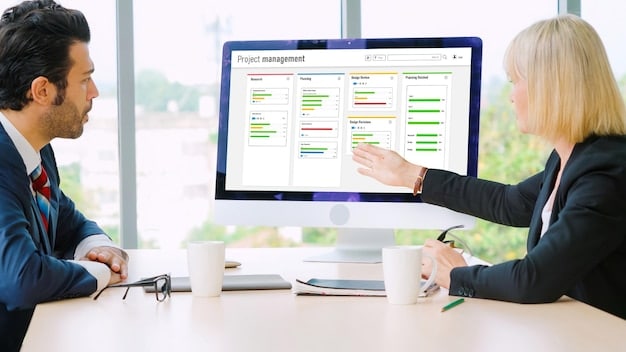
In conclusion, comparing CRM software based on pricing, features, and integrations will empower small businesses to make well-informed decisions that align with their budget and operational needs.
Implementing CRM Software: Best Practices for Small Businesses
Implementing CRM software effectively requires careful planning and execution. Following best practices can ensure a smooth transition and maximize the benefits of your CRM system.
What are the key steps to successfully implement CRM software, and how can you avoid common pitfalls?
Planning and Preparation
Before implementing CRM software, it is essential to define clear goals and objectives.
- Define your goals: What do you want to achieve with CRM?
- Identify key stakeholders: Who will be using the CRM system?
- Data migration strategy: How will you transfer existing data to the new CRM?
Training and Onboarding
Providing adequate training and onboarding is crucial for ensuring that your team can effectively use the CRM software.
- Comprehensive training sessions: Conduct training sessions for all users.
- Ongoing support: Provide ongoing support to address user questions and issues.
Proper planning, training, and ongoing maintenance are essential for maximizing the value of your CRM investment. Following these best practices will help small businesses achieve their CRM goals and drive sustained growth.
Maximizing ROI: Strategies for Effective CRM Use
Maximizing the return on investment (ROI) of CRM software requires strategic planning and consistent effort. By implementing effective strategies, small businesses can leverage CRM to drive sales, improve customer retention, and increase overall profitability.
How can you optimize your CRM usage to achieve the best possible results?
Customer Segmentation and Personalization
Segmenting your customer base and personalizing interactions can significantly improve customer engagement and drive sales.
- Segment your audience: Group customers based on demographics, behavior, and preferences.
- Personalize your messaging: Tailor your communication to individual customer needs.
Automating Sales and Marketing Processes
Automating sales and marketing processes can streamline operations and improve efficiency.
- Lead nurturing: Automate the process of nurturing leads through the sales funnel.
- Email marketing: Automate email campaigns to engage customers and drive sales.
By focusing on customer segmentation, automation, and continuous improvement, small businesses can maximize the value of their CRM investment and achieve significant ROI.
Future Trends in CRM for US Small Businesses
The future of CRM for US small businesses is poised for significant advancements, driven by emerging technologies and evolving customer expectations. Staying ahead of these trends is crucial for maintaining a competitive edge and maximizing the benefits of your CRM system.
What are the key trends shaping the future of CRM, and how can small businesses prepare for them?
Artificial Intelligence (AI) and Machine Learning (ML)
AI and ML are transforming CRM by enabling personalized customer experiences and predictive analytics.
- AI-powered chatbots: Providing instant customer support and resolving queries.
- Predictive analytics: Forecasting customer behavior and identifying sales opportunities.
Enhanced Data Security and Privacy
With increasing concerns about data security and privacy, CRM systems are incorporating advanced security measures.
- Data encryption: Protecting sensitive customer data from unauthorized access.
- Compliance with regulations: Adhering to data privacy regulations such as GDPR and CCPA.
Embracing AI and ML, prioritizing data security, and adopting mobile-first strategies will empower small businesses to thrive in the evolving CRM landscape.
| Key Aspect | Brief Description |
|---|---|
| 💡 CRM Definition | Software for managing customer interactions and data throughout the customer lifecycle. |
| 💰 Pricing Models | Varied from free (basic) to monthly per-user fees, affecting total cost. |
| 📈 Implementation Tips | Involves planning, data migration, training, and ongoing maintenance. |
| 🤖 AI Integration | Improves customization and customer engagement through data analytics. |
Frequently Asked Questions (FAQ)
▼
CRM software helps manage customer interactions and data throughout the customer lifecycle. It is important for small businesses because it improves customer retention, drives sales, and increases overall profitability by providing personalized experiences.
▼
Key features include contact management, sales automation, marketing tools, and analytics/reporting. These features streamline sales processes, enhance marketing efforts, and provide insights into customer behavior and sales performance.
▼
CRM software costs vary widely. There are free options with limited features, and paid plans can range from $12 to $25 per user per month. The total cost depends on the features required and the number of users.
▼
Ensure success by defining clear goals, identifying key stakeholders, developing a data migration strategy, and providing comprehensive training. Ongoing support and continuous improvement are also crucial for maximizing the value of your CRM.
▼
Future trends include AI and machine learning, enhanced data security, and mobile-first strategies. AI will personalize customer experiences, while improved data security measures will protect sensitive information. Mobile CRM will enable access and management on the go.
Conclusion
Choosing the right Customer Relationship Management Software: Analyzing the Best Options for US Small Businesses in 2025 involves careful consideration of your business needs, budget, and long-term goals. By evaluating different platforms, implementing best practices, and staying ahead of future trends, US small businesses can leverage CRM to drive growth and improve customer relationships