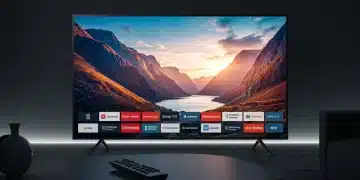
Cut the Cord: Choosing the Best Streaming Device in 2025

Choosing the right streaming device in 2025 requires evaluating factors like streaming quality (4K, HDR), app availability, ease of use, voice assistant integration (Alexa, Google Assistant), and budget to enhance your viewing experience and access desired content.
Cutting the cord has become a popular way to consume media, offering access to a vast library of content without the hefty price tag of traditional cable. But with so many streaming devices on the market, how do you choose the right one for your needs in 2025? This guide will walk you through the key considerations to help you make an informed decision and enjoy a seamless streaming experience.
Understanding Your Streaming Needs
Before diving into the specifics of each streaming device, it’s essential to understand your own viewing habits and preferences. Consider the types of content you watch most frequently, the streaming services you subscribe to, and the features that are most important to you.
Think about whether you need 4K resolution, HDR support, or advanced audio capabilities. Also, take into account the number of users in your household and their individual streaming needs. By identifying your specific requirements, you can narrow down your options and choose a device that truly fits your lifestyle.
Content Preferences
What types of content do you primarily watch? Are you into movies, TV shows, sports, documentaries, or a mix of everything? Identifying your content preferences will help you determine which streaming services you need access to.
Essential Features
Do you prioritize features like voice control, screen mirroring, or gaming capabilities? Some streaming devices offer advanced features that enhance the overall user experience. Consider which features are most important to you and look for devices that offer them.
- 4K and HDR Support: If you have a 4K TV, look for a streaming device that supports 4K resolution and HDR for the best possible picture quality.
- Voice Control: Devices with voice control allow you to easily search for content, control playback, and even manage other smart home devices.
- App Availability: Ensure that the streaming device you choose supports the streaming services you subscribe to, such as Netflix, Hulu, Amazon Prime Video, and Disney+.
By carefully evaluating your streaming needs, you can make a more informed decision and choose a device that truly enhances your entertainment experience. Consider not only what you watch, but how you watch and with whom.
Top Streaming Devices to Consider in 2025
The streaming device market is constantly evolving, with new devices and features being introduced regularly. In 2025, several devices stand out as top contenders, each offering a unique set of features and benefits. Here are some of the top streaming devices to consider:
From established players like Roku and Apple TV to newcomers offering innovative features, the choices are diverse. Let’s delve into each option, weighing their pros and cons to help you make an informed decision.
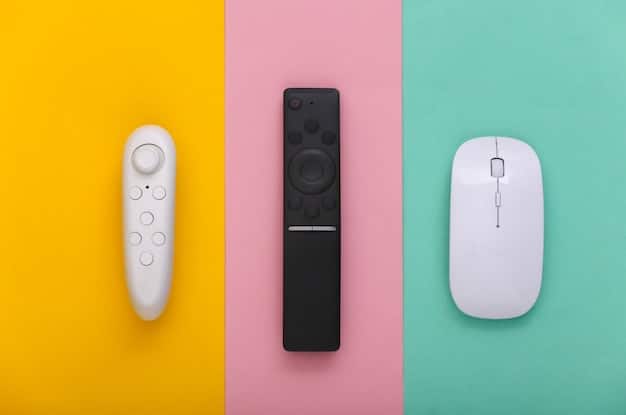
Roku Streaming Stick 4K
The Roku Streaming Stick 4K is a popular choice for its ease of use, vast app selection, and affordable price. It supports 4K resolution, HDR, and Dolby Vision, offering excellent picture quality. The Roku platform is known for its user-friendly interface and extensive channel store.
Apple TV 4K (3rd Generation)
The Apple TV 4K is a premium streaming device that offers seamless integration with other Apple devices. It supports 4K resolution, HDR, Dolby Vision, and Dolby Atmos, providing a superior viewing experience. The Apple TV also features a powerful processor for smooth performance and access to Apple’s ecosystem of apps and services.
- Amazon Fire TV Stick 4K Max: Offers fast performance, 4K HDR support, and a wide selection of apps.
- Google Chromecast with Google TV: Integrates seamlessly with Google services and offers a user-friendly interface with access to the Google Play Store.
- Nvidia Shield TV Pro: A high-end option for gamers and those who want advanced features like AI upscaling and GeForce Now support.
Each of these devices offers a unique set of features and benefits. Consider your specific needs and preferences when making your decision. The right choice can greatly enhance your streaming experience.
Factors to Evaluate When Choosing a Streaming Device
Choosing a streaming device involves more than just looking at the top brands. Several factors can significantly impact your streaming experience, including streaming quality, user interface, app availability, voice assistant integration, and price.
Understanding these factors will empower you to make a well-informed decision. It’s not just about the device; it’s about how it fits into your viewing habits and home ecosystem.
Streaming Quality
If you have a 4K TV, it’s essential to choose a streaming device that supports 4K resolution and HDR. This will ensure that you’re getting the best possible picture quality. Also, consider the device’s ability to handle different video codecs and streaming formats.
User Interface and Ease of Use
The user interface of a streaming device can greatly impact your overall experience. Look for a device with a clean, intuitive interface that is easy to navigate. Also, consider the device’s remote control and how comfortable it is to use.
- App Availability: Make sure that the streaming device you choose supports the streaming services you subscribe to. Check if it has all the essential apps like Netflix, Hulu, Amazon Prime Video, Disney+, and others.
- Voice Assistant Integration: If you use voice assistants like Alexa or Google Assistant, look for a streaming device that integrates seamlessly with your preferred voice assistant.
- Price and Value: Streaming devices range in price from affordable to premium. Consider your budget and weigh the features and benefits of each device against its price.
By carefully evaluating these factors, you can choose a streaming device that meets your needs and provides a great streaming experience. Remember to consider the long-term value and how well the device will fit into your home entertainment setup.
Comparing Operating Systems: Roku, tvOS, Fire TV, and Google TV
The operating system (OS) of a streaming device is a crucial factor to consider, as it determines the user interface, app availability, and overall user experience. The four major streaming device operating systems are Roku OS, tvOS (Apple TV), Fire TV OS (Amazon Fire TV), and Google TV (Chromecast).
Each OS has its strengths and weaknesses. Understanding the nuances of each will guide you toward the OS that best aligns with your preferences and tech ecosystem.
Roku OS
Roku OS is known for its simplicity and ease of use. It features a clean, uncluttered interface that is easy to navigate. Roku OS also has a vast channel store with access to thousands of streaming apps and services. However, Roku OS may lack some of the advanced features and integrations found in other operating systems.
tvOS (Apple TV)
tvOS is the operating system for Apple TV and offers seamless integration with other Apple devices. It features a sleek, modern interface and access to Apple’s ecosystem of apps and services. tvOS also supports advanced features like Dolby Vision and Dolby Atmos, providing a superior viewing experience.

Choosing the right OS can greatly enhance your streaming experience. Consider your personal preferences and how well each option integrates with your existing devices and services.
Setting Up and Troubleshooting Your Streaming Device
Setting up a streaming device is generally a straightforward process, but it’s important to follow the instructions carefully to ensure a smooth setup. Once your device is set up, you may encounter some common issues that can be easily resolved.
From initial setup to resolving technical glitches, knowing the ins and outs can save time and frustration. Here’s a quick guide to get you started and keep you streaming smoothly.
Initial Setup
To set up your streaming device, start by connecting it to your TV using an HDMI cable. Then, plug the device into a power source. Follow the on-screen instructions to connect to your Wi-Fi network and sign in to your streaming accounts.
Troubleshooting Common Issues
If you encounter issues like buffering, poor video quality, or app crashes, try restarting your streaming device and your Wi-Fi router. Also, make sure that your device is running the latest software update.
- Wi-Fi Connectivity Issues: Ensure your streaming device is within range of your Wi-Fi router. If the signal is weak, consider moving the router closer or using a Wi-Fi extender.
- App Crashing or Freezing: Close the app and restart your streaming device. If the issue persists, try uninstalling and reinstalling the app.
- Remote Control Problems: Replace the batteries in your remote control. If that doesn’t work, try resetting the remote or pairing it with your streaming device again.
With these tips, you can quickly resolve common issues and get back to enjoying your favorite streaming content. Remember to keep your devices updated and your network connection strong for the best possible experience.
The Future of Streaming Devices: What to Expect in 2025 and Beyond
The streaming device market is constantly evolving, and we can expect to see significant advancements in the coming years. In 2025 and beyond, streaming devices are likely to become more powerful, more versatile, and more integrated with other smart home devices.
From enhanced features to seamless integration, the future of streaming promises to be even more immersive and convenient. Here’s a glimpse of what you can expect.
Enhanced Performance
Future streaming devices will likely feature more powerful processors and more memory, allowing for smoother performance, faster loading times, and seamless multitasking. This will be particularly important for handling 4K and 8K content, as well as demanding gaming applications.
Integration with Smart Home Devices
Streaming devices will become more tightly integrated with other smart home devices, allowing you to control your lights, thermostat, and other devices using your voice or remote control. This integration will create a more seamless and connected home entertainment experience.
The future of streaming devices is bright, with exciting advancements on the horizon. Keep an eye out for these new features and technologies as you choose your next streaming device.
| Key Aspect | Brief Description |
|---|---|
| 📺 Streaming Quality | Ensures sharp visuals; 4K, HDR, and Dolby Vision support are key. |
| 📱 User Interface | Clean, intuitive layout for easy navigation. |
| 🎦 App Availability | Access essential services: Netflix, Hulu, Prime Video, etc. |
| 💰 Budget | Balance features with price for optimum value. |
FAQ
▼
A streaming device is a small electronic gadget that connects to your TV and allows you to watch video content from the internet, offering a variety of movies, TV shows, and live channels without a cable subscription.
▼
Some of the top streaming devices include Roku Streaming Stick 4K, Apple TV 4K, Amazon Fire TV Stick 4K Max, and Google Chromecast with Google TV, recognized for their features and user experience.
▼
Important factors include compatibility with streaming services, video quality (4K, HDR), user interface, voice control, and cost. Balance these aspects based on your preferences and budget.
▼
Yes, most streaming devices are designed for easy setup. Connect the device to your TV, power it on, connect to Wi-Fi, and follow the on-screen instructions to access your streaming apps quickly.
▼
Most streaming devices connect via HDMI, so as any modern TV with an HDMI port is compatible. Also, consider the device’s power needs and ensure you have a compatible power source readily.
Conclusion
Choosing the right streaming device in 2025 is about balancing your viewing habits, technical needs, and budget. By carefully considering the discussed factors—streaming quality, user interface, app availability, and future compatibility—you can cut the cord with confidence and enjoy a personalized and immersive entertainment experience.