Graphic Design Software: Top Tools for US Marketing Teams in 2025

Graphic design software is evolving rapidly, and for US marketing teams in 2025, selecting the right tools is crucial for creating compelling visuals that drive engagement and achieve marketing objectives effectively.
In the ever-evolving world of digital marketing, visual communication is king. For US marketing teams looking to stay ahead in 2025, choosing the right graphic design software is not just a preference, it’s a necessity.
The Evolving Landscape of Graphic Design Software for Marketing
The demands on marketing teams are constantly increasing, and the role of graphic design has become more critical than ever. In 2025, US marketing teams need powerful, versatile, and intuitive graphic design software to create compelling visuals across various platforms. The question is, which tools will reign supreme?
From social media graphics to website designs and marketing collateral, the ability to produce high-quality visuals quickly and efficiently is crucial for success. This section will explore the key trends shaping the graphic design software landscape and provide insights into what US marketing teams should consider when making their choices.
Key Trends in Graphic Design Software
Several exciting trends are shaping the future of graphic design software. Understanding these trends can help marketing teams make informed decisions about the tools they choose.
- AI Integration: Artificial intelligence is playing an increasingly significant role, automating tasks, suggesting design elements, and enhancing overall productivity.
- Collaboration Features: Real-time collaboration is becoming standard, allowing teams to work together seamlessly, regardless of their location.
- Accessibility: Software is becoming more accessible to users with varying skill levels, thanks to intuitive interfaces and user-friendly features.
- Cross-Platform Compatibility: The ability to design across different devices and operating systems is crucial for today’s marketing teams.
These trends collectively point towards a future where graphic design software enables marketing teams to be more agile, creative, and efficient.
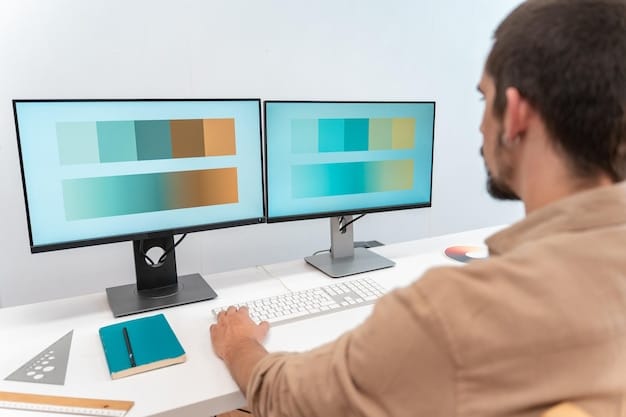
In conclusion, understanding the evolving landscape of graphic design software is vital for US marketing teams in 2025. By staying informed about the latest trends and technologies, they can make strategic decisions that empower their creative workflows and drive marketing success.
Adobe Creative Cloud: The Industry Standard
Adobe Creative Cloud remains a dominant force in the graphic design software market. It offers a comprehensive suite of tools tailored to meet the diverse needs of US marketing teams. But is it still the best option in 2025?
Adobe Creative Cloud includes industry-leading applications such as Photoshop, Illustrator, and InDesign, each designed for specific design tasks. These tools are known for their robust features, high level of customization, and seamless integration. However, they also come with a significant cost, which can be a barrier for some marketing teams.
Photoshop for Image Editing
Photoshop is the go-to software for image editing and manipulation. It provides a wide range of tools for retouching, color correction, and creating stunning visual effects.
Illustrator for Vector Graphics
Illustrator is ideal for creating vector graphics, logos, illustrations, and typography. Its precision and scalability make it perfect for marketing materials that need to look sharp at any size.
InDesign for Layout Design
InDesign is designed for creating professional layouts for print and digital media, such as brochures, magazines, and ebooks.
Key advantages of Adobe Creative Cloud include its comprehensive feature set, industry recognition, and extensive support resources. However, the subscription model can be expensive, and the complexity of the tools can be overwhelming for beginners. For US marketing teams, the decision to invest in Adobe Creative Cloud will depend on their budget, skill level, and specific design needs.

Canva: Empowering Non-Designers
Canva has revolutionized the graphic design landscape by making design accessible to everyone, regardless of their skill level. In 2025, it continues to be a popular choice for US marketing teams looking for a user-friendly and cost-effective solution.
Canva’s drag-and-drop interface, extensive template library, and collaborative features make it easy for marketing teams to create visually appealing content quickly. While it may not offer the same level of sophistication as Adobe Creative Cloud, Canva provides a streamlined workflow for everyday design tasks.
Key Features of Canva
- Drag-and-Drop Interface: Simplifies the design process.
- Template Library: Offers a wide range of professionally designed templates.
- Collaboration Tools: Enables real-time teamwork and feedback.
- Affordable Pricing: Offers free and paid plans to suit different budgets.
Canva is particularly well-suited for creating social media graphics, presentations, and marketing materials for small businesses. Its ease of use and affordability make it an attractive option for US marketing teams with limited design resources.
In conclusion, Canva offers a compelling alternative to traditional graphic design software. Its intuitive interface, extensive template library, and affordable pricing make it an excellent choice for US marketing teams looking to empower non-designers and streamline their design workflows.
Figma: The Collaborative Design Platform
Figma has emerged as a leading collaborative design platform, particularly popular among US marketing teams working remotely or in distributed teams. Its cloud-based architecture and real-time collaboration features make it an ideal solution for the modern workplace.
Figma combines design, prototyping, and collaboration in a single tool, allowing teams to work together seamlessly on design projects. Its browser-based interface eliminates the need for software installations and ensures compatibility across different operating systems.
Figma vs. Adobe XD
Figma is often compared to Adobe XD, another popular design tool. While both platforms offer similar features, Figma stands out for its superior collaboration capabilities and cross-platform accessibility.
- Real-Time Collaboration: Figma allows multiple users to work on the same design simultaneously.
- Version Control: Automatically saves design history and allows users to revert to previous versions.
- Community Resources: Provides access to a wealth of plugins, templates, and design resources.
Figma is well-suited for designing user interfaces, websites, and marketing materials. Its focus on collaboration and accessibility makes it an excellent choice for US marketing teams looking to streamline their design workflows and improve teamwork.
In conclusion, Figma offers a powerful and collaborative design solution that is well-suited for US marketing teams in 2025. Its cloud-based architecture, real-time collaboration features, and comprehensive design tools make it an excellent choice for the modern workplace.
Sketch: The Mac-Based Design Tool
Sketch remains a popular choice for Mac-based designers, offering a streamlined and intuitive interface specifically tailored for macOS. While it’s exclusively available on Mac, Sketch continues to be a powerful tool for creating user interfaces, websites, and mobile apps for US marketing teams.
Sketch is known for its simplicity, speed, and focus on user interface design. Its vector-based workflow allows designers to create scalable graphics without losing clarity. While it may not offer the same breadth of features as Adobe Creative Cloud, Sketch provides a focused set of tools for UI and UX design.
Key Features of Sketch
- Vector-Based Design: Allows for scalable graphics without loss of quality.
- Symbol Library: Enables designers to create reusable design elements.
- Plugin Ecosystem: Offers a wide range of plugins to extend functionality.
Sketch is particularly well-suited for designing user interfaces and mobile apps. Its streamlined interface and focus on UI design make it an efficient choice for US marketing teams working on digital products.
In conclusion, Sketch offers a powerful and focused design solution for Mac-based designers. Its streamlined interface, vector-based workflow, and plugin ecosystem make it an excellent choice for US marketing teams working on user interfaces and digital products.
Affinity Designer: A Budget-Friendly Alternative
Affinity Designer has emerged as a strong contender in the graphic design software market, offering a professional-grade alternative to Adobe Illustrator at a fraction of the cost. For US marketing teams seeking a budget-friendly option without sacrificing quality, Affinity Designer is worth considering.
Affinity Designer provides a comprehensive set of tools for vector graphics, illustration, and page layout. Its one-time purchase model eliminates the need for a recurring subscription, making it an attractive choice for cost-conscious marketing teams.
Comparing Affinity Designer to Adobe Illustrator
While Affinity Designer may not have the same brand recognition as Adobe Illustrator, it offers comparable features and performance. Here are some key differences:
- Pricing: Affinity Designer offers a one-time purchase, while Adobe Illustrator requires a subscription.
- Features: Both platforms offer a robust set of tools for vector graphics, but some advanced features may be exclusive to Illustrator.
- User Interface: Affinity Designer has a user-friendly interface that is easy to learn and navigate.
Affinity Designer is well-suited for creating logos, illustrations, and marketing materials. Its affordability and comprehensive feature set make it a compelling choice for US marketing teams on a budget.
In conclusion, Affinity Designer offers a professional-grade design solution at a fraction of the cost of Adobe Illustrator. Its one-time purchase model, comprehensive feature set, and user-friendly interface make it an excellent choice for US marketing teams looking to save money without sacrificing quality.
Choosing the Right Graphic Design Software for Your Team
Selecting the right graphic design software for your US marketing team in 2025 involves careful consideration of your specific needs, budget, and skill level. Each of the tools discussed in this review offers unique strengths and weaknesses.
To make an informed decision, start by assessing your team’s design requirements. What types of visuals do you need to create regularly? What skill levels do your team members possess? How important is collaboration? Once you have a clear understanding of your needs, you can narrow down your options and choose the software that best fits your requirements.
Factors to Consider
- Budget: Consider the cost of the software, including subscription fees and potential upgrades.
- Features: Evaluate the software’s features and ensure they meet your team’s design needs.
- Ease of Use: Choose software that is intuitive and easy to learn for your team members.
- Collaboration: Look for software that offers collaborative features for seamless teamwork.
Ultimately, the best graphic design software is the one that empowers your team to create compelling visuals that drive results. By carefully evaluating your options and considering your specific needs, you can choose the tool that will help your US marketing team thrive in 2025.
| Key Point | Brief Description |
|---|---|
| 🎨 Adobe Creative Cloud | Industry-standard suite for professional design. |
| 🚀 Canva | User-friendly tool empowering non-designers. |
| 🤝 Figma | Collaborative platform ideal for remote teams. |
| 💰 Affinity Designer | Budget-friendly alternative to Adobe. |
Frequently Asked Questions
▼
Canva is often recommended due to its user-friendly interface and extensive template library, making it easy for beginners to create professional-looking designs quickly.
▼
Figma stands out with its cloud-based platform and real-time collaboration features, enabling multiple users to work on the same design simultaneously, regardless of location.
▼
For professionals and larger marketing teams, Adobe Creative Cloud remains a powerful option, offering a comprehensive suite of tools and industry-standard capabilities despite the higher cost.
▼
Yes, Affinity Photo provides a robust set of image editing tools similar to Photoshop at a one-time purchase price, making it a budget-friendly alternative for many users.
▼
Mobile compatibility is increasingly important, allowing designers to work on the go. Many tools, like Adobe Creative Cloud and Canva, offer mobile apps for editing and collaboration.
Conclusion
In conclusion, the graphic design software landscape offers a diverse range of options for US marketing teams in 2025. From the industry-standard Adobe Creative Cloud to user-friendly platforms like Canva and collaborative tools like Figma, choosing the right software depends on your team’s specific needs, budget, and skill level. By carefully evaluating your options, you can empower your team to create compelling visuals that drive marketing success.