Maximize Device Battery Life: Pro Tips 2026
In our increasingly connected world, smartphones and wearables have become indispensable tools for communication, health monitoring, and productivity. However, the one constant challenge that plagues every user is battery life. As we step into 2026, technology continues to evolve at a rapid pace, bringing with it more powerful processors, vibrant displays, and sophisticated sensors. While these advancements enhance our digital experience, they also place greater demands on our device batteries. Learning how to maximize device battery life is no longer just a convenience; it’s a necessity for staying connected and productive throughout your day.
This comprehensive guide will delve into the most effective strategies and expert tips to help you extend the lifespan and daily endurance of your smartphone and wearable batteries. We’ll explore everything from optimal charging practices and software configurations to hardware considerations and future trends. Whether you’re a heavy user or just looking for ways to get a little more juice out of your gadgets, these insights will empower you to take control of your device’s power consumption and ensure it keeps up with your lifestyle.
Understanding the intricacies of battery technology and its interaction with your device’s software and hardware is the first step towards achieving superior battery performance. Many users mistakenly believe that battery degradation is an uncontrollable force, but with the right knowledge and habits, you can significantly slow down this process and enjoy consistent, long-lasting power. Let’s embark on this journey to unlock the full potential of your device’s battery.
The Fundamentals of Battery Health: What You Need to Know
Before diving into specific tips, it’s crucial to understand the basics of how modern device batteries work. Most smartphones and wearables utilize Lithium-ion (Li-ion) or Lithium-polymer (Li-Po) batteries. These batteries offer high energy density and are relatively lightweight, making them ideal for portable electronics. However, they are also subject to degradation over time, a process known as chemical aging.
Understanding Battery Cycles and Degradation
A battery cycle is defined as one full discharge from 100% to 0% and then a full recharge back to 100%. However, it’s not a strict rule; discharging to 50% and then recharging to 100% twice also counts as one cycle. Li-ion batteries typically have a finite number of charge cycles, usually ranging from 300 to 500, before their capacity significantly diminishes. Beyond this point, the battery will hold less charge, leading to shorter usage times.
Several factors accelerate this degradation:
- High Temperatures: Exposing your device to extreme heat (e.g., leaving it in a hot car) is one of the quickest ways to damage a Li-ion battery. Heat causes the chemical reactions inside the battery to speed up, leading to faster degradation.
- Deep Discharges: Regularly draining your battery to 0% before recharging puts more stress on the battery cells.
- Overcharging: While modern devices have circuitry to prevent true overcharging (i.e., exploding), keeping a battery at 100% charge for extended periods, especially at high temperatures, can still contribute to degradation.
- Fast Charging: While convenient, frequent use of high-wattage fast chargers can generate more heat, potentially impacting battery longevity if not managed properly by the device’s thermal regulation.
By understanding these fundamentals, we can formulate strategies to mitigate these negative effects and effectively maximize device battery health.
Optimal Charging Habits to Maximize Device Battery Life
Your charging routine plays a monumental role in the longevity and daily performance of your device’s battery. Dispelling common myths and adopting smart charging habits can significantly extend the life of your smartphone and wearable batteries.
The “Sweet Spot” for Charging
Contrary to popular belief, keeping your battery between 20% and 80% is often cited as the ideal range for Li-ion batteries. This practice avoids the stress associated with deep discharges and prolonged full charges. Think of it like a gentle exercise routine for your battery rather than intense sprints and prolonged rests. Regularly topping up your device rather than letting it drain completely is a key strategy to maximize device battery health.
Avoiding Overnight Charging (Intelligently)
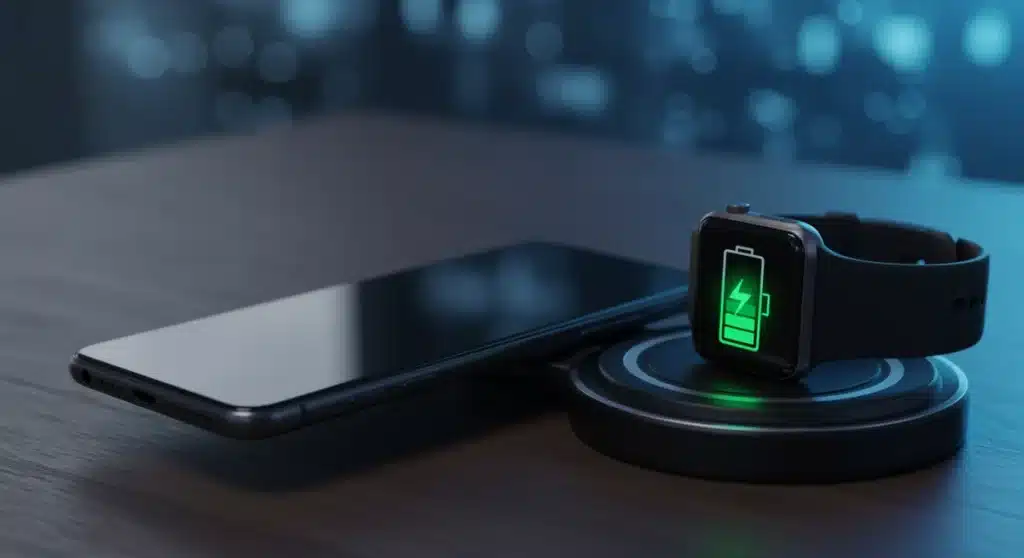
While most modern devices have smart charging features that pause charging once 100% is reached, prolonged connection to a charger, especially overnight, can still expose the battery to trickle charging and potentially elevated temperatures. Some manufacturers have introduced features like ‘Optimized Battery Charging’ (Apple) or ‘Adaptive Battery’ (Android) which learn your charging patterns and delay reaching 100% until just before you typically wake up. Utilizing these features is a smart way to manage overnight charging. If your device lacks such features, consider using smart plugs that can cut power after a set time.
The Role of Fast Charging
Fast charging is a blessing for busy individuals, but its impact on battery health is a frequent concern. While fast charging can generate more heat, reputable manufacturers integrate sophisticated thermal management systems to mitigate potential damage. However, if you’re not in a hurry, using a standard charger or a slower charging mode (if available) can be gentler on your battery over the long term. Avoid using fast chargers in environments that are already hot.
Calibrating Your Battery
Occasionally, your device’s battery percentage indicator might become inaccurate. This doesn’t mean your battery is damaged, but rather that the software’s understanding of the battery’s full capacity is out of sync. To recalibrate, fully charge your device to 100%, then let it drain completely to 0% until it shuts off. Recharge it fully without interruption. Doing this once every few months can help reset the battery gauge and provide a more accurate reading, helping you better track your efforts to maximize device battery life.
Software Optimization: Taming the Power Hogs
Even with perfect charging habits, inefficient software can quickly drain your battery. Optimizing your device’s settings and app usage is paramount to extending daily use. This section focuses on actionable software adjustments for both smartphones and wearables.
Screen Settings: The Biggest Power Consumer
Your device’s display is often the most power-hungry component. Adjusting these settings can yield significant battery savings:
- Brightness: Reduce screen brightness to the lowest comfortable level. Automatic brightness adjustment is often a good compromise, as it adapts to ambient light, but manual control offers maximum savings.
- Screen Timeout: Set your screen to turn off after the shortest practical period (e.g., 15-30 seconds).
- Dark Mode/Theme: For devices with OLED or AMOLED displays, using a dark mode or theme can dramatically save battery life. Black pixels on these screens are essentially off, consuming no power.
- Refresh Rate: If your device offers a high refresh rate (e.g., 90Hz, 120Hz), consider lowering it to a standard 60Hz. While smoother, higher refresh rates consume more power. Adaptive refresh rates (if available) can help balance performance and battery.
App Management: Identify and Conquer Battery Drainers
Rogue applications running in the background are notorious battery culprits. Regularly review your app usage and settings:
- Background App Refresh: Limit or disable background app refresh for apps that don’t require real-time updates. This prevents apps from consuming power and data when you’re not actively using them.
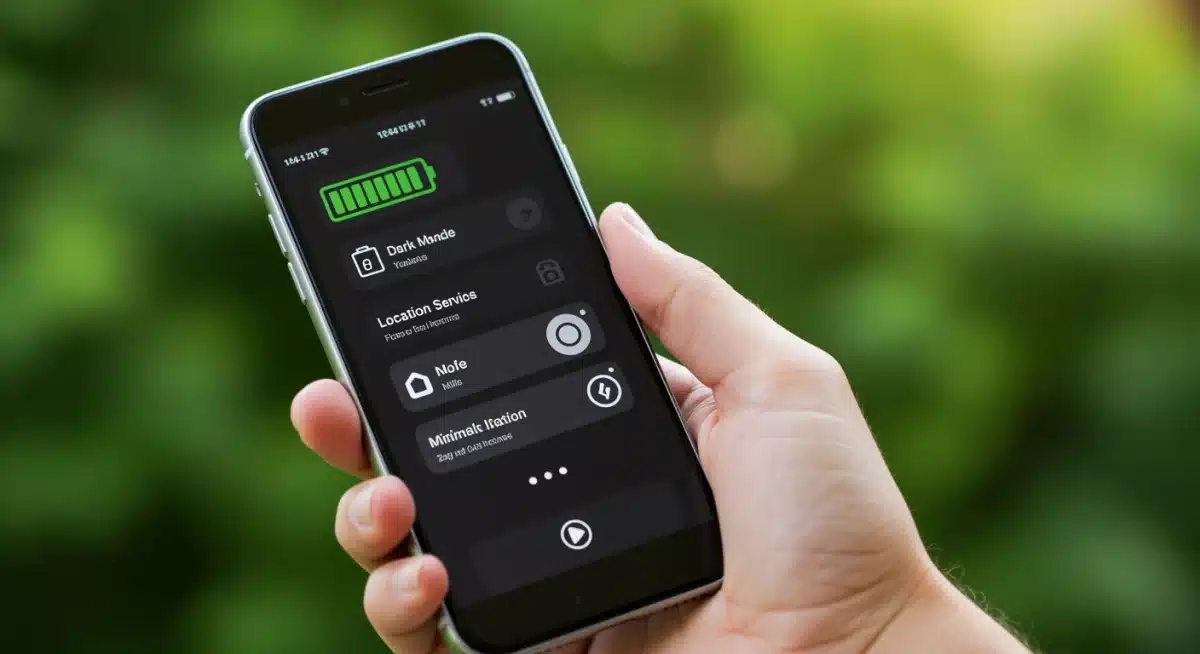
- Location Services: Many apps request constant access to your location. Review permissions and set location access to ‘While Using’ or ‘Ask Next Time’ for non-essential apps. Completely disabling location services when not needed is also an option.
- Push Notifications: Excessive notifications wake up your screen and cause your device to vibrate or play sounds. Disable notifications for less important apps.
- App Sleep/Deep Sleep: Android devices often have features like ‘Adaptive Battery’ and ‘App Sleep’ that automatically put unused apps into a low-power state. Manually configure these for apps you rarely use.
- Widgets: While convenient, some widgets constantly update and consume power. Evaluate if you truly need all your widgets.
Connectivity Settings: Toggle Wisely
Wireless radios are significant power consumers. Managing them effectively is key to how you maximize device battery:
- Wi-Fi vs. Mobile Data: Wi-Fi generally consumes less power than mobile data, especially in areas with strong signals. Use Wi-Fi whenever available.
- Bluetooth: Turn off Bluetooth when not actively using it with a paired device. While modern Bluetooth Low Energy (BLE) is efficient, constant scanning still uses power.
- NFC: Disable Near Field Communication (NFC) if you don’t use it for payments or pairing.
- Airplane Mode: In areas with poor cellular signal, your device constantly searches for a network, which is a huge battery drain. If you don’t need connectivity, switch to Airplane Mode.
System Features and Updates
Keep your device’s operating system updated. Manufacturers often release updates that include battery optimizations and bug fixes. Additionally, explore built-in power-saving modes (e.g., ‘Low Power Mode’ on iOS, ‘Battery Saver’ on Android). These modes often automatically adjust various settings to conserve power when your battery is low, helping you maximize device battery life during critical times.
Hardware Considerations and Wearable Specifics
Beyond software, certain hardware choices and specific wearable features can also impact battery performance. Understanding these elements helps you make informed decisions and optimize your overall tech ecosystem.
Wearable Battery Management
Smartwatches and fitness trackers, with their smaller batteries, require even more diligent management:
- Always-On Display: While convenient, an always-on display significantly reduces battery life. Consider disabling it or scheduling it to turn off during sleep.
- Heart Rate Monitoring: Continuous heart rate monitoring can be a drain. If not medically necessary, set it to ‘periodic’ or ‘manual’ rather than ‘continuous.’
- GPS Usage: GPS is a major power consumer. Limit its use to when you’re actively tracking workouts or navigation.
- Watch Faces: Animated or highly complex watch faces consume more power. Opt for simpler, static watch faces, especially those with dark backgrounds for OLED screens.
- Notifications: Similar to smartphones, manage which app notifications appear on your wearable. Every buzz and screen activation uses power.
Temperature Management
As mentioned earlier, extreme temperatures are detrimental to battery health. Avoid leaving your smartphone or wearable in direct sunlight, in a hot car, or next to heat sources. Similarly, using your device in extremely cold conditions can temporarily reduce battery performance and potentially lead to long-term damage. If your device feels unusually warm during charging or heavy use, give it a break and let it cool down.
Case Usage and Cooling
While protective cases are essential, some thick cases can trap heat, especially during charging or intensive tasks. If you notice your device getting excessively hot with a case on, consider removing it during charging or when performing demanding activities. Proper ventilation is key to maintaining optimal battery temperature and helping to maximize device battery longevity.

Advanced Tips and Future Trends for Battery Maximization
As technology advances, so do the methods for optimizing battery performance. Here are some advanced tips and a look at what the future might hold.
Understanding Battery Health Metrics
Many operating systems now provide detailed battery health information. iOS, for example, offers ‘Battery Health’ under settings, showing ‘Maximum Capacity’ relative to when the battery was new. Android devices often provide similar data through third-party apps or hidden diagnostic menus (e.g., dialing *#*#4636#*#* on some devices). Regularly monitoring these metrics helps you assess your battery’s health and determine if it’s time for a replacement. A battery that has significantly degraded will never allow you to truly maximize device battery life, no matter how many software tricks you employ.
Optimizing for Specific Use Cases
Consider your primary use cases. If you frequently game, stream video, or use GPS navigation, these activities will inherently consume more power. For these scenarios:
- Gaming: Lower graphics settings, reduce frame rates (if possible), and avoid charging while gaming to prevent excessive heat buildup.
- Streaming: Download content for offline viewing when possible. Reduce video quality if data consumption isn’t a concern.
- Navigation: Download offline maps. If using a car charger, ensure it’s a high-quality one that can deliver sufficient power without generating too much heat.
The Promise of Future Battery Technologies
While current Li-ion technology is mature, research continues into next-generation batteries that could revolutionize device longevity:
- Solid-State Batteries: These batteries use solid electrolytes instead of liquid ones, promising higher energy density, faster charging, and improved safety. While still largely in the research phase for consumer electronics, they could be a game-changer.
- Silicon Anodes: Replacing graphite anodes with silicon could significantly increase battery capacity, as silicon can store more lithium ions.
- AI-Powered Battery Management: Future devices will likely feature even more sophisticated AI algorithms that predict usage patterns and dynamically adjust power consumption across various components, providing a seamless and highly optimized battery experience.
- Advanced Thermal Management: Better cooling solutions, perhaps even miniature vapor chambers or liquid cooling, could allow for faster charging and more sustained high performance without compromising battery health.
These future developments hold the promise of making efforts to maximize device battery life less about careful management and more about inherent technological superiority.
Common Battery Myths Debunked
Misinformation about battery care is rampant. Let’s clarify some common myths:
- Myth: You need to fully discharge a new phone battery before charging. This was true for older Nickel-Cadmium (Ni-Cd) batteries, which suffered from a ‘memory effect.’ Li-ion batteries do not have this issue; in fact, deep discharges are detrimental.
- Myth: Always charge to 100%. As discussed, keeping your battery between 20-80% is generally better for long-term health.
- Myth: Using non-original chargers will damage your battery. While cheap, uncertified chargers can be risky due to poor quality control and lack of safety features, using reputable third-party chargers that meet safety standards and provide appropriate voltage/amperage is generally fine.
- Myth: Closing all background apps saves battery. Constantly closing and reopening apps can sometimes use more power than letting them sit in the background in a suspended state, especially if the OS is designed to manage them efficiently. Focus on limiting background refresh for specific apps, not force-quitting everything.
Understanding the truth behind these myths is crucial for effective battery management and truly being able to maximize device battery performance.
Conclusion: Empowering Your Devices for Longer Life
In 2026, the quest to maximize device battery life remains a top priority for tech users. By adopting smart charging habits, diligently optimizing software settings, and being mindful of hardware interactions, you can significantly extend the daily endurance and overall lifespan of your smartphones and wearables. These aren’t just minor tweaks; they are fundamental practices that empower you to get the most out of your valuable tech investments.
Remember, battery care is an ongoing process. Regularly review your device settings, stay informed about new software updates, and be aware of how your usage patterns affect power consumption. While future battery technologies promise even greater longevity, applying these current best practices will ensure your devices remain reliable companions throughout your day, keeping you connected, informed, and entertained without constant worry about a dying battery.
By taking a proactive approach to battery management, you’re not just saving power; you’re contributing to a more sustainable tech future by prolonging the life of your devices and reducing the frequency of replacements. Embrace these tips, and enjoy the freedom of a device that keeps going as long as you do.