Multi-Factor Authentication (MFA): The Cornerstone of Modern Cybersecurity
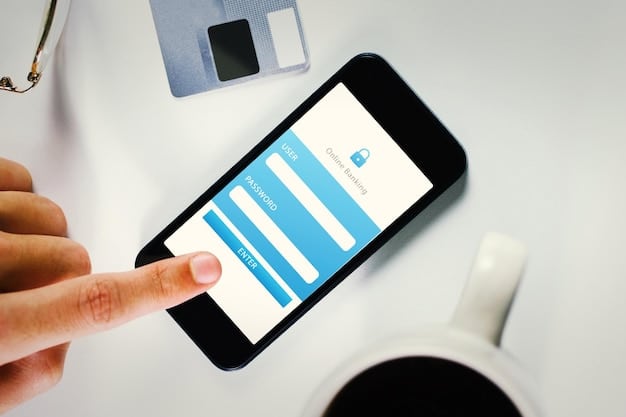
Multi-factor authentication (MFA) is a security system that requires more than one method of authentication from independent categories of credentials to verify the user’s identity for a login or other transaction, significantly enhancing cybersecurity by making it harder for attackers to breach systems.
In today’s digital landscape, where cyber threats are constantly evolving, safeguarding your sensitive information is more critical than ever. One of the most effective tools available to protect yourself is multi-factor authentication (MFA), a security measure that adds an extra layer of protection beyond just a username and password.
Understanding Multi-Factor Authentication (MFA)
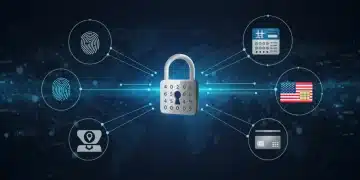
Multi-factor authentication (MFA) is a security process that requires users to provide two or more verification factors to gain access to an account or online service. These factors can include something you know (password), something you have (security token, smartphone), or something you are (biometric verification).
Unlike single-factor authentication, which relies solely on a password, MFA significantly reduces the risk of unauthorized access. Even if an attacker manages to compromise your password, they would still need to bypass the additional layers of security provided by the other factors.
The Three Factors of Authentication
MFA utilizes three distinct factors to verify your identity:
- Knowledge Factor: This is something you know, such as a password, PIN, or security question.
- Possession Factor: This is something you have, like a security token, smartphone app, or physical security key.
- Inherence Factor: This is something you are, such as a fingerprint, facial recognition, or voiceprint.
By requiring multiple factors from different categories, MFA ensures that an attacker needs to compromise multiple independent elements to gain access to your account, making it significantly more difficult to succeed.
In conclusion, understanding the core principles of MFA is the first step towards implementing a more robust security posture. By leveraging multiple authentication factors, you can significantly mitigate the risk of unauthorized access and protect your sensitive information.
Why MFA is Essential for Cybersecurity
In an era where data breaches and cyberattacks are becoming increasingly common, implementing robust security measures is paramount. Multi-factor authentication (MFA) has emerged as an indispensable tool for protecting against a wide range of cyber threats.
MFA provides a critical last line of defense against credential compromise. Even if your password falls into the wrong hands, the additional authentication factors required by MFA can prevent attackers from gaining access to your accounts and data.

Preventing Password-Related Attacks
Password-related attacks, such as phishing, brute-force attacks, and credential stuffing, remain a significant threat. MFA can effectively neutralize these attacks by requiring attackers to bypass multiple authentication factors, even if they have obtained your password.
Protecting Against Phishing
Phishing attacks, where attackers trick users into revealing their credentials, are a common method for gaining unauthorized access. MFA can prevent phishing attacks from being successful by requiring a second factor that the attacker cannot easily obtain.
In conclusion, the multifaceted protection offered by MFA makes it an essential component of any comprehensive cybersecurity strategy. By mitigating the risks associated with password-related attacks and providing a last line of defense against credential compromise, MFA can significantly enhance your overall security posture.
How MFA Works: A Step-by-Step Guide
Implementing MFA can seem daunting, but the process is typically straightforward. Multi-factor authentication (MFA) works by adding one or more additional layers of security to the standard login process.
The basic process involves enrolling in MFA for a particular service, choosing your authentication factors, and then using those factors to verify your identity each time you log in. Let’s dig deeper into this step-by-step guide.
Enrollment and Setup
The first step is to enroll in MFA for the online accounts you want to protect. This typically involves linking a secondary device, such as a smartphone or hardware token, to your account.
Many apps and services offer the ability for you to use software-based methods to generate an OTP. Other common methods include sending an SMS message to your phone with a one-time code.
Once you have enrolled, the MFA setup will guide you through the process of choosing your authentication factors. Common options include:
- Authenticator apps
- SMS codes
- Email codes
- Hardware security keys
Once you’ve set up MFA, each time you log in to your account, you’ll be prompted to provide your primary password and then verify your identity using the additional authentication factors you’ve chosen. This process typically involves entering a code from an authenticator app, confirming a push notification on your smartphone, or inserting a hardware security key.
In short, MFA enhances security by requiring multiple verification steps, making it significantly more difficult for unauthorized individuals to access your accounts and sensitive information.
Types of Multi-Factor Authentication Methods
Multi-factor authentication (MFA) offers a diverse range of methods to enhance security, each with its own strengths and weaknesses. Understanding the different types of MFA methods available can help you choose the most appropriate options for your specific needs.
From authenticator apps to biometric verification, the variety of MFA methods provides flexibility and customization to suit different user preferences and security requirements.
Authenticator Apps
Authenticator apps, such as Google Authenticator, Authy, and Microsoft Authenticator, generate time-based one-time passwords (TOTP) on your smartphone. These apps offer a convenient and secure way to verify your identity without relying on SMS codes.
SMS Codes
SMS codes are sent to your mobile phone via text message and require you to enter the code to verify your identity. While SMS codes are generally easy to use, they are less secure than authenticator apps or hardware security keys due to the risk of SMS interception or SIM swapping.
Here are the other common MFA methods:
- Email codes
- Hardware security keys
- Biometric verification
Ultimately, the choice of MFA methods depends on your specific needs and priorities. By understanding the different types of MFA methods available, you can make an informed decision and select the options that provide the best balance of security and usability for your particular requirements.
Implementing MFA: Best Practices and Tips
Implementing MFA effectively requires careful planning and execution. Multi-factor authentication (MFA) is not a one-size-fits-all solution, and the best approach will vary depending on your specific circumstances.
To ensure a successful implementation, consider the following best practices and tips.
Start with High-Risk Accounts
When implementing MFA, prioritize high-risk accounts that contain sensitive information or provide access to critical systems. This approach allows you to focus your resources on the areas where MFA can have the most significant impact.
Consider what types of apps and services you are using that give you access to critical information. For example, your email account or any cloud services you use to store important documents.
Here are other important tips for implementing MFA:
- Educate users about MFA
- Choose strong authentication factors
- Enable MFA on all supported services
- Create a backup plan
In conclusion, following these best practices and tips can help you implement MFA effectively and maximize its benefits. By prioritizing high-risk accounts, educating users, and choosing strong authentication factors, you can significantly enhance your security posture and protect against a wide range of cyber threats.
The Future of Multi-Factor Authentication
As technology advances and cyber threats evolve, multi-factor authentication (MFA) is also undergoing continuous development and innovation. Understanding the future trends in MFA can help you stay ahead of the curve and prepare for the next generation of security measures.
Biometric authentication, risk-based authentication, and passwordless MFA are among the key trends shaping the future of MFA.
Biometric Authentication
Biometric authentication methods, such as fingerprint scanning, facial recognition, and voice recognition, are becoming increasingly popular as a convenient and secure alternative to traditional authentication factors. Biometrics offer a unique and difficult-to-forge way to verify your identity but could create other privacy concerns.
Passwordless MFA
Passwordless MFA eliminates the need for passwords altogether, relying instead on alternative authentication factors such as biometric verification or push notifications. Passwordless MFA offers enhanced security by removing the risk of password-related attacks.
Here are other trends that will shape the future of MFA:
- Risk-based authentication
- Behavioral biometrics
- Decentralized authentication
The future of MFA is likely to be characterized by greater convenience, enhanced security, and increased integration with emerging technologies. By staying informed about these trends and preparing for the adoption of new MFA methods, you can ensure that your security posture remains robust and resilient in the face of evolving cyber threats.
| Key Point | Brief Description |
|---|---|
| 🔑 What is MFA? | Security system requiring multiple verification methods. |
| 🛡️ Why use MFA? | Protects against password-related threats like phishing. |
| 📱 MFA Methods | Includes authenticator apps, SMS codes, biometrics. |
| 🔮 Future of MFA | Trends towards biometric, risk-based, and passwordless authentication. |
Frequently Asked Questions About Multi-Factor Authentication
▼
Multi-factor authentication (MFA) is a security process that requires more than one method of authentication to verify a user’s identity for a login or other transaction. It adds an extra layer of security to protect against unauthorized access.
▼
MFA is important because it significantly reduces the risk of unauthorized access, even if a password is compromised. By requiring multiple authentication factors, it makes it much harder for attackers to breach systems.
▼
Common MFA methods include authenticator apps (e.g., Google Authenticator), SMS codes, email codes, hardware security keys, and biometric verification (e.g., fingerprint, facial recognition).
▼
To set up MFA, go to the security settings of your online accounts and look for the option to enable two-factor or multi-factor authentication. Follow the instructions to link a secondary device or authentication method.
▼
Create a backup plan. If you lose your MFA device or can’t access your MFA codes, use the backup recovery codes that you saved when you setup MFA or contact the service’s support team for assistance in regaining access to your account.
Conclusion
In conclusion, multi-factor authentication (MFA) is an indispensable tool for safeguarding your digital life in today’s ever-evolving threat landscape. By implementing MFA, you can significantly reduce your risk of falling victim to cyberattacks and protect your sensitive information from unauthorized access. Embrace MFA and fortify your cybersecurity defenses today.