Multi-Factor Authentication (MFA): Why It’s Crucial for Your Security

Multi-factor authentication (MFA) adds extra layers of security to protect accounts by requiring multiple verification methods, preventing unauthorized access and safeguarding sensitive information effectively.
In today’s digital landscape, protecting your online accounts is more important than ever. Multi-factor authentication (MFA): Why It’s Essential for Protecting Your Accounts is a critical security measure that significantly reduces the risk of unauthorized access and data breaches.
Understanding Multi-Factor Authentication (MFA)
Multi-factor authentication (MFA) goes beyond the traditional username and password combination. It strengthens your account security by requiring additional verification methods. This makes it significantly more difficult for hackers to gain access, even if they have your password.
What are the Core Principles of MFA?
MFA relies on the principle of using multiple, independent factors to verify your identity. These factors fall into different categories, ensuring that a compromise in one area doesn’t automatically grant access to your account.
The Three Main Authentication Factors
Understanding the different authentication factors is key to appreciating the strength of MFA. Each factor represents a different type of verification, making it harder for attackers to bypass security measures.
- Knowledge Factor: Something you know, like a password, PIN, or security question.
- Possession Factor: Something you have, such as a smartphone, security token, or smart card.
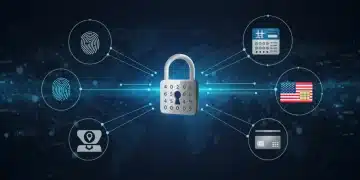
- Inherence Factor: Something you are, like a fingerprint, facial recognition, or voiceprint.

By requiring a combination of these factors, MFA ensures that only the legitimate user can access the account. This significantly reduces the risk of successful phishing attacks, password breaches, and other common security threats. The knowledge factor, like a password, is often the first line of defense, but it’s also the most vulnerable. With MFA, even if a hacker obtains your password, they still need to possess your phone or have access to your biometric data to gain entry.
In conclusion, multi-factor authentication is a robust security measure that enhances account protection by employing multiple verification methods. Understanding its core principles and authentication factors empowers users to utilize MFA effectively and safeguard their digital identities.
Why MFA is Essential for Protecting Your Accounts
MFA is crucial because it significantly reduces the risk of unauthorized access to your accounts. Traditional passwords alone are often insufficient, as they can be easily compromised through phishing attacks, password breaches, or weak security practices.
Strengthening Security Against Common Threats
MFA adds extra layers of security that make it much harder for attackers to gain access to your accounts, even if they have your password. It provides a more robust defense against various cyber threats, offering enhanced protection for your personal and financial information.
The Weaknesses of Password-Only Security
Relying solely on passwords can leave your accounts vulnerable to various attacks. MFA addresses these weaknesses by requiring additional verification methods, making it more difficult for attackers to gain access.
- Phishing Attacks: Attackers can trick users into revealing their passwords through fraudulent emails or websites.
- Password Breaches: Large-scale data breaches can expose millions of passwords, making them available to hackers.
- Weak Passwords: Many users choose easy-to-guess passwords or reuse the same password across multiple accounts.
MFA effectively mitigates these risks by requiring a second factor, which is much harder for attackers to obtain. Even if your password is compromised, the attacker still needs access to your phone, security token, or biometric data to successfully log in.
In conclusion, MFA is essential for protecting your accounts because it addresses the vulnerabilities of password-only security. By adding extra layers of verification, it significantly reduces the risk of unauthorized access and safeguards your sensitive information from cyber threats.
Types of Multi-Factor Authentication Methods
There are various MFA methods available, each offering different levels of security and convenience. Understanding these options allows you to choose the best approach for your specific needs and preferences.
SMS Codes: Convenience and Accessibility
SMS codes are a popular MFA method that sends a verification code to your mobile phone via text message. While convenient, they are also considered less secure than other options.
Authenticator Apps: A More Secure Option
Authenticator apps generate time-based one-time passwords (TOTP) on your smartphone. These apps are generally more secure than SMS codes and offer additional features like offline access.
- Google Authenticator: A widely used app for generating TOTP codes.
- Authy: Offers backup and multi-device support.
- Microsoft Authenticator: Integrates with Microsoft accounts and services.
Authenticator apps provide a higher level of security because they are not susceptible to SMS interception or SIM swapping attacks. They also generate new codes every 30 seconds, making it very difficult for attackers to intercept or guess the correct code. By using an authenticator app, you can significantly enhance the security of your accounts and protect yourself from various cyber threats.
In conclusion, various MFA methods are available, each with its own strengths and weaknesses. While SMS codes offer convenience, authenticator apps generally provide a more secure and reliable option for protecting your accounts. Choosing the right method depends on your specific needs, preferences, and security requirements.
Implementing MFA: A Step-by-Step Guide
Implementing MFA may seem daunting, but it’s a straightforward process that can significantly enhance your account security. This guide provides a step-by-step approach to help you enable MFA on your most important accounts.
Step 1: Identify Your Critical Accounts
Start by identifying the accounts that contain your most sensitive information, such as your email, bank accounts, social media profiles, and cloud storage services.
Step 2: Check Account Security Settings
Most online services offer MFA options in their security settings. Look for terms like “two-factor authentication,” “two-step verification,” or “multi-factor authentication.”
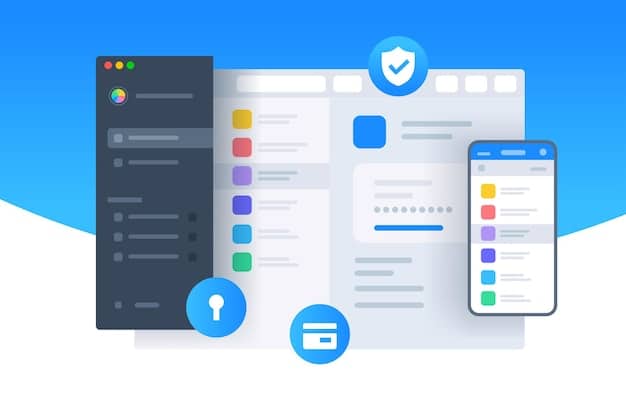
Step 3: Choose Your Verification Method
Select your preferred MFA method, such as SMS codes, authenticator apps, or hardware security keys. Follow the on-screen instructions to set up the verification process.
After setting up MFA, make sure to store your backup codes in a safe place. These codes can be used to regain access to your account if you lose your primary verification method, such as your smartphone. It’s also a good idea to review your account recovery options to ensure that you can easily recover your account if needed. By following these steps, you can implement MFA on your most important accounts and significantly improve your overall security posture.
In conclusion, implementing MFA is a simple yet powerful way to protect your accounts from unauthorized access. By following this step-by-step guide, you can enable MFA on your critical accounts and safeguard your sensitive information from cyber threats.
The Benefits of MFA for Businesses
MFA isn’t just for individual users; it’s also a critical security measure for businesses of all sizes. Implementing MFA can help protect sensitive data, prevent data breaches, and maintain customer trust.
Protecting Sensitive Business Data
MFA helps protect sensitive business data, such as financial records, customer information, and intellectual property, from unauthorized access. It ensures that only authorized employees can access critical systems and data.
Reducing the Risk of Data Breaches
Data breaches can be costly and damaging to a business’s reputation. MFA significantly reduces the risk of data breaches by making it harder for attackers to gain access to internal systems and data.
- Improved Security Posture: MFA enhances the overall security posture of the organization.
- Reduced Financial Losses: Data breaches can result in significant financial losses due to regulatory fines, legal fees, and lost business.
- Enhanced Customer Trust: Customers are more likely to trust businesses that take security seriously and implement strong authentication measures.
By implementing MFA, businesses can demonstrate their commitment to protecting customer data and maintaining a secure environment. This can help build trust with customers and differentiate the business from competitors. Additionally, MFA can help businesses comply with industry regulations and standards that require strong authentication measures. In conclusion, MFA is an essential security measure for businesses, offering numerous benefits such as protecting sensitive data, reducing the risk of data breaches, and maintaining customer trust.
In conclusion, MFA provides significant benefits for businesses by protecting sensitive data, reducing the risk of data breaches, and maintaining customer trust. Implementing MFA is a proactive step towards strengthening the overall security posture and ensuring long-term success.
Addressing Common Concerns About MFA
While MFA offers significant security benefits, some users may have concerns about its complexity, convenience, and potential impact on productivity. Addressing these concerns can help encourage wider adoption of MFA.
Is MFA Too Complicated?
Some users may feel that MFA is too complicated or time-consuming to set up and use. However, modern MFA solutions are designed to be user-friendly and intuitive.
Will MFA Slow Me Down?
Another concern is that MFA will slow down the login process and reduce productivity. While it does add an extra step, the added security is well worth the minimal inconvenience.
- Faster Login Options: Biometric authentication methods, such as fingerprint scanning or facial recognition, can provide a quicker and more seamless login experience.
- Remembered Devices: Many MFA solutions allow users to “remember” their devices, so they only need to enter a verification code once on each device.
- Reduced Downtime: By preventing unauthorized access and data breaches, MFA can help reduce downtime and improve overall productivity.
By addressing these concerns and highlighting the benefits of MFA, businesses and organizations can encourage wider adoption and improve their overall security posture. Providing training and support to users can also help alleviate concerns and ensure a smooth transition to MFA.
In conclusion, addressing common concerns about MFA can help promote wider adoption and ensure that users can take advantage of its significant security benefits. By highlighting the user-friendly nature, explaining the minimal impact on productivity, and addressing concerns about accessibility, MFA can become an integral part of everyone’s security toolkit.
| Key Point | Brief Description |
|---|---|
| 🛡️ Enhanced Security | Adds extra layers of protection to your accounts. |
| 📱 Various Methods | Includes SMS codes, authenticator apps, and biometric options. |
| 💼 Business Benefits | Protects sensitive data and reduces data breach risks for businesses. |
| 🔑 Essential Protection | MFA blocks unauthorized access, even with compromised passwords. |
[FAQ About Multi-Factor Authentication (MFA)]
▼
Multi-factor authentication (MFA) is a security system that requires more than one method of authentication to verify a user’s identity. It adds extra layers of security to protect accounts.
▼
MFA is important because it significantly reduces the risk of unauthorized access to your accounts, even if your password is compromised. It provides a more robust defense against cyber threats.
▼
Common MFA methods include SMS codes, authenticator apps (like Google Authenticator or Authy), and biometric authentication (like fingerprint scanning or facial recognition).
▼
To enable MFA, go to your account’s security settings and look for options like “two-factor authentication” or “multi-factor authentication.” Follow the instructions to set up your preferred verification method.
▼
While MFA adds an extra step to the login process, it’s designed to be user-friendly. The added security is well worth the minimal inconvenience, especially for protecting sensitive information.
Conclusion
In conclusion, multi-factor authentication is a critical security measure that enhances the protection of your online accounts and sensitive information. By adding extra layers of verification, MFA significantly reduces the risk of unauthorized access and data breaches, making it an essential practice for both individuals and businesses in today’s digital landscape.