Project Management Software Showdown: Top Platforms for US Teams in 2025

The Project Management Software Showdown for US Teams in 2025 highlights the leading platforms—Asana, Trello, Monday.com, Jira, and Microsoft Project—evaluating their features, pricing, integrations, and user experience to determine which reigns supreme for enhancing productivity and collaboration.
Navigating the complex world of project management can be challenging, especially when choosing the right software. The Project Management Software Showdown: Which Platform Reigns Supreme for US Teams in 2025? aims to help US teams find the perfect tool to boost productivity and streamline workflows. This comprehensive comparison delves into the features, pricing, and usability of leading platforms.
The Contenders: A Preview of Leading Platforms
Before diving into the detailed comparisons, it’s essential to understand the main players in the project management software arena. Each platform has its unique strengths, target users, and pricing models, making the selection process intricate.
This section offers a brief overview of Asana, Trello, Monday.com, Jira, and Microsoft Project, paving the way for a comprehensive analysis of their capabilities and suitability for diverse US teams.
Asana: Streamlining Team Coordination
Asana excels in task management and team collaboration, offering features like task dependencies, timelines, and custom fields to enhance organization and workflow transparency.
Trello: Kanban Simplicity
Trello’s intuitive Kanban-style boards provide a visual way to manage tasks, making it ideal for teams seeking a straightforward and flexible project management solution.
Let’s explore the key advantages and limitations of each platform.
- Asana is great for complex projects requiring detailed organization.
- Trello offers simplicity and flexibility, suitable for smaller teams.
- Monday.com brings strong visual data and automation capabilities.
- Jira is designed for software development teams.
- Microsoft Project provides robust scheduling and resource management.
Understanding these platforms’ core functionalities sets the stage for a deeper dive into their specific features and how they cater to the diverse needs of US teams in 2025.
Feature Comparison: What Each Platform Offers
A critical aspect of choosing the right project management software is evaluating the features each platform provides. From task management and collaboration tools to reporting and automation capabilities, each feature plays a vital role in enhancing productivity and project success.
This section conducts a feature-by-feature comparison of Asana, Trello, Monday.com, Jira, and Microsoft Project, examining their strengths and weaknesses to help US teams make informed decisions.
Task Management and Collaboration
Effective task management is the backbone of any successful project. Asana’s task dependencies and custom fields allow for detailed planning, while Trello’s Kanban boards offer a visual and collaborative way to track progress.
Monday.com focuses on visual data and automation, allowing teams to streamline workflows and track progress in real-time. Jira is designed specifically for software development, offering agile methodologies and advanced issue tracking.
Let’s look at how each platform handles collaboration:
- Asana: Offers robust collaboration features, including task comments and file sharing.
- Trello: Its simplicity promotes real-time updates.
- Monday.com: Provides visual data and progress tracking.
- Jira: Integrated with software development tools.
- Microsoft Project: Strong resource management.
By evaluating these task management and collaboration capabilities, US teams can identify the platform that best aligns with their specific project requirements and team dynamics.
Pricing Analysis: Finding the Best Value
Cost is a significant factor in selecting project management software. Each platform offers different pricing tiers with varying features, making it essential to evaluate the long-term value and scalability of each option.
This section provides a detailed pricing analysis of Asana, Trello, Monday.com, Jira, and Microsoft Project, examining the different plans, features included, and potential hidden costs to help US teams find the best value for their investment.
Understanding Pricing Tiers
Each platform offers a range of pricing tiers, from free plans with limited features to enterprise-level plans with advanced capabilities. Asana, for example, offers a free plan for small teams, while Monday.com’s pricing is based on the number of users and features needed.
Trello provides a free plan with unlimited boards, making it ideal for individual users and small teams. Jira’s pricing is tailored to software development teams, offering features like sprint planning and bug tracking.
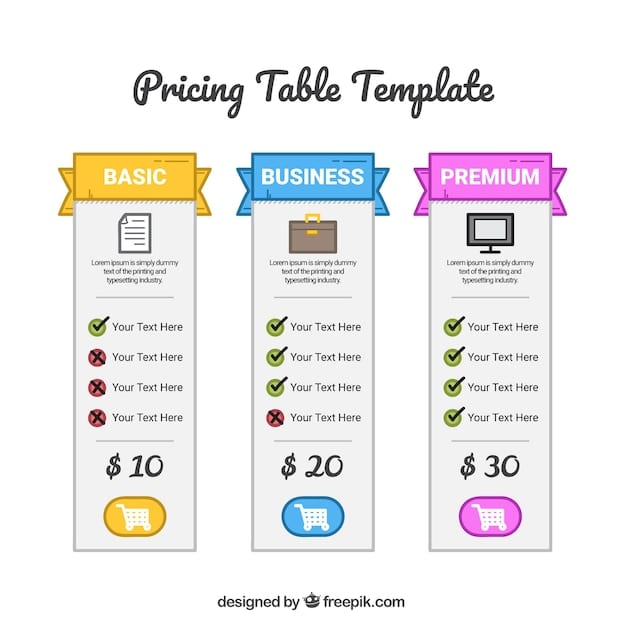
Each platform has different payment plans. These are some important differences to consider:
- Asana: Offers tiered plans with increasing features, suitable for growing teams.
- Trello: Provides a free plan with limited features, ideal for simple project management.
- Monday.com: Charges per user, making it scalable but potentially costly.
- Jira: Tailored pricing for software development teams, focusing on agile methodologies.
- Microsoft Project: Multiple plan options to adapt to the user’s real need.
By carefully analyzing the pricing tiers and features included, US teams can make an informed decision and choose the platform that offers the best balance of cost and functionality for their specific needs.
Integration Capabilities: Connecting Your Tools
Project management software rarely exists in isolation. The ability to integrate seamlessly with other tools and applications is crucial for streamlining workflows and enhancing overall productivity.
This section explores the integration capabilities of Asana, Trello, Monday.com, Jira, and Microsoft Project, examining their ability to connect with popular apps like Slack, Google Workspace, Microsoft Office, and other essential tools used by US teams.
Key Integrations for Enhanced Productivity
Integration with communication tools like Slack can facilitate real-time collaboration, while connecting with Google Workspace or Microsoft Office allows for seamless file sharing and document management. Asana offers integrations with various apps through its API, while Trello’s Power-Ups extend its functionality.
Monday.com integrates with numerous platforms, including marketing automation tools and CRM systems. Jira’s integrations are primarily focused on software development tools, such as Bitbucket and GitHub.
Consider these options when deciding which platform is better for integrations with your work tools:
- Asana: Integrates with many productivity tools.
- Trello: Power-Ups allow integrations with other apps.
- Monday.com: Connects with plenty of tools.
- Jira: Integrates with software development apps.
- Microsoft Project: Good integration with Microsoft ecosystem.
Evaluating the integration capabilities of each platform helps US teams ensure that their project management software can seamlessly connect with their existing tools, minimizing disruptions and maximizing efficiency.
User Experience: Ease of Use and Adoption
The user experience of project management software can significantly impact its adoption and effectiveness. A platform that is intuitive and easy to use is more likely to be embraced by team members, leading to improved productivity and collaboration.
This section assesses the user experience of Asana, Trello, Monday.com, Jira, and Microsoft Project, considering factors like ease of navigation, learning curve, customization options, and overall user satisfaction among US teams.
Factors Influencing User Satisfaction
Asana’s clean interface and detailed task management features make it appealing to users seeking a structured approach. Trello’s simple Kanban boards are easy to understand and use, making it a favorite among teams that value flexibility.
Monday.com’s visual data and automation capabilities provide a comprehensive overview of project progress, while Jira’s specialized features cater to the needs of software development teams.
Here’s a list that highlights each platform’s experience:
- Asana: Very user-friendly and clean interface that makes the onboarding process simple.
- Trello: Simple Kanban boards.
- Monday.com: User-friendly platform which has a great design.
- Jira: Requires some time for onboarding.
- Microsoft Project: Can be challenging to learn.
By considering the user experience of each platform, US teams can select the software that best aligns with their team’s technical proficiency and preferences, ensuring a smooth transition and widespread adoption.
Making the Decision: Which Platform Reigns Supreme?
Choosing the right project management software for your US team in 2025 requires careful consideration of various factors, including features, pricing, integration capabilities, and user experience. Each platform—Asana, Trello, Monday.com, Jira, and Microsoft Project—offers unique strengths and caters to different types of projects and teams.
Consider the unique characteristics mentioned and choose the better platform:
- Asana: Ideal for teams seeking detailed organization and task management.
- Trello: Best for users that need a flexible and easy-to-use visual tool.
- Monday.com: For teams needing robust visual data and automation capabilities.
- Jira: A software development tool that aims to make development processes more agile.
- Microsoft Project: Powerful for resource management.
Consider the integration possibilities and user experience and choose the platform that better fits your team needs and preferences to guarantee adoption, high quality results and avoid disruption.
| Key Factor | Brief Description |
|---|---|
| ⭐ Core Features | Each platform excels in different areas: task management, visual data, integration, and user experience. |
| 💰 Pricing Plans | Pricing varies among the tools, from free to enterprise-level, based on the number of members and features chosen. |
| 🤝 Integrations | All platforms support integration with mainstream apps. |
| 🧑💻 User Experience | The platforms are different in their user experience, depending on the team and preferences. |
FAQ
▼
Project management software is designed to help teams organize, track, and manage projects efficiently. It provides features like task management, collaboration tools, and reporting capabilities to streamline workflows.
▼
Project management software improves team collaboration, increases productivity, and ensures projects are completed on time and within budget. It centralizes information and simplifies communication.
▼
Trello is especially suited for small teams because has a Kanban interface that is easy to use, with unlimited boards. It facilitates collaboration, being good to be used in any project.
▼
Asana is great for big teams because it is a complete tool with many kinds of integration. The payment plans adapts to the needs of the users, being a great choice.
▼
To choose the right project management software, start listing your needs and team needs. This will help you choose a platform with the right characteristics and focus your search.
Conclusion
In conclusion, the Project Management Software Showdown: Which Platform Reigns Supreme for US Teams in 2025? reveals that the ideal choice depends on the specific needs of your team. Assess the features, pricing, integration capabilities, and user experience of each platform to make an informed decision that drives productivity and enhances collaboration.