Unlock Your Smart TV’s Full Potential: Advanced Features You’re Missing
In an era where technology constantly evolves, our living rooms have transformed into epicenters of digital innovation. The humble television, once a simple display for broadcast signals, has blossomed into the sophisticated smart TV – a powerful hub capable of far more than just showing your favorite shows. Yet, for many, the smart TV remains a largely untapped resource, its advanced features hidden beneath layers of menus and overlooked options. You might be using your smart TV for streaming and basic navigation, but are you truly harnessing its full potential? This comprehensive guide will pull back the curtain on the advanced features of smart TVs that you’re likely not using (yet), transforming your viewing experience from passive to truly immersive and interactive.
The journey to unlocking your smart TV’s true power begins with understanding that these devices are essentially giant computers designed for entertainment and connectivity. They come equipped with powerful processors, advanced display technologies, and intricate software ecosystems that enable a myriad of functions beyond simple content playback. From intelligent picture and sound optimization to seamless smart home integration and personalized user experiences, modern smart TVs are packed with capabilities designed to elevate every aspect of your home entertainment. By diving into these often-overlooked functionalities, you can not only enhance your viewing pleasure but also integrate your TV more deeply into your digital lifestyle.
Many users treat their smart TV as a glorified monitor for their streaming apps. While this is a primary function, it barely scratches the surface of what these devices can do. Consider the AI-driven enhancements that can dynamically adjust picture and sound quality based on content and environment, or the robust smart home integration that allows your TV to become a central control panel for your connected devices. Have you explored the multi-view options that let you watch several sources simultaneously, or delved into the advanced gaming features that offer a competitive edge? This article aims to guide you through these exciting possibilities, providing practical tips and insights to help you utilize your smart TV advanced features to their fullest.
We’ll explore how to navigate the complex world of picture and sound settings, revealing the secrets behind cinematic experiences and crystal-clear audio. We’ll show you how to leverage your TV as a smart home hub, controlling lights, thermostats, and security cameras with just your voice or a few clicks. Furthermore, we’ll delve into the personalization options that allow every member of your household to have a tailored viewing experience, and uncover the gaming-specific enhancements that can turn your living room into a high-performance arena. Prepare to rediscover your smart TV and unlock a world of advanced functionalities you never knew existed.
Let’s begin our exploration into the sophisticated world of smart TV advanced features and turn your everyday viewing into an extraordinary experience.
1. AI-Powered Picture and Sound Optimization: Beyond Basic Settings
One of the most significant advancements in modern smart TVs is the integration of Artificial Intelligence (AI) to enhance both picture and sound quality. While many users might tweak basic settings like brightness and contrast, AI-powered optimization goes far beyond, offering dynamic adjustments in real-time. This sophisticated technology ensures you always get the best possible viewing and listening experience, regardless of the content or your environment. Understanding and utilizing these smart TV advanced features can dramatically improve your home cinema setup.
Dynamic Tone Mapping and Upscaling
Most high-end smart TVs now feature AI-driven dynamic tone mapping. This technology analyzes HDR (High Dynamic Range) content scene by scene, or even frame by frame, to optimize brightness, contrast, and color. Unlike static HDR, which applies a single set of parameters to an entire film, dynamic tone mapping adjusts these elements on the fly, revealing more detail in both the brightest highlights and the darkest shadows. This results in a much more lifelike and impactful image, bringing out the true artistic intent of the creators.
Similarly, AI upscaling techniques have become incredibly sophisticated. If you’re watching content that isn’t native 4K or 8K, your smart TV’s AI processor can intelligently analyze lower-resolution images and fill in missing pixels, creating a sharper, more detailed picture that closely resembles higher-resolution content. This isn’t just simple pixel doubling; advanced algorithms predict what the missing information should look like, reducing artifacts and enhancing textures. For instance, watching an old DVD or a 1080p Blu-ray on a 4K TV will look significantly better with AI upscaling enabled compared to a TV without this feature.
Adaptive Picture and Sound
Ever notice how your TV looks different depending on the time of day or the lighting in your room? Modern smart TVs address this with adaptive picture technology. Using ambient light sensors, the TV can detect the room’s brightness and automatically adjust screen brightness and contrast to maintain optimal viewing comfort and picture accuracy. In a brightly lit room, the TV will boost brightness to combat glare, while in a dark room, it will dim to prevent eye strain and preserve black levels. This feature is often found under names like ‘Adaptive Picture,’ ‘Ambient Light Sensor,’ or ‘Intelligent Mode’ in your TV’s settings.
Beyond visuals, AI also enhances audio. Adaptive sound technologies analyze the acoustics of your room and the type of content you’re watching (e.g., dialogue, music, action) to optimize sound output. Some TVs can even use built-in microphones to map your room’s layout and calibrate the audio to deliver the best soundstage and clarity. This means dialogue can be automatically boosted during quiet scenes, or bass enhanced during action sequences, all without you having to touch the remote. Look for features such as ‘Adaptive Sound,’ ‘AI Sound Pro,’ or ‘Room Calibration’ in your audio settings to take advantage of these capabilities.
How to Enable and Optimize
To make the most of these AI-powered enhancements, delve into your TV’s picture and sound settings menus. You’ll typically find options related to ‘Picture Mode,’ ‘Sound Mode,’ ‘AI Settings,’ or ‘Intelligent Features.’ Experiment with different modes designed for movies, sports, or gaming, and then look for specific AI-driven toggles like ‘Dynamic Tone Mapping,’ ‘AI Upscaling,’ ‘Adaptive Brightness,’ or ‘Room Acoustic Calibration.’ Remember that while AI does a lot of the heavy lifting, a little manual fine-tuning can sometimes yield even better results. Don’t be afraid to experiment with these smart TV advanced features to find what works best for your specific viewing environment and preferences.
2. Smart Home Integration: Your TV as a Central Hub
Your smart TV isn’t just for entertainment; it can also serve as the central command center for your entire smart home ecosystem. With increasing connectivity and compatibility, modern smart TVs can seamlessly integrate with a wide array of smart devices, offering unparalleled convenience and control. This functionality extends the utility of your TV far beyond mere content consumption, making it a powerful tool for managing your connected home.
Voice Control and Virtual Assistants
Most contemporary smart TVs come with built-in voice assistants like Google Assistant, Amazon Alexa, or their proprietary versions (e.g., Samsung’s Bixby, LG’s ThinQ AI). These assistants allow you to control your TV and, crucially, your smart home devices using voice commands. Imagine saying, "Hey Google, dim the living room lights" or "Alexa, show me the front door camera" directly to your TV remote or even the TV itself (if it has far-field microphones). This eliminates the need for separate smart speakers or reaching for your phone, streamlining your smart home interactions.
Beyond simple commands, these assistants can perform complex routines. For example, you could set up a ‘Movie Night’ routine that, upon a single voice command to your TV, dims the lights, adjusts the thermostat, and even starts your preferred streaming app. The integration of these voice assistants transforms your TV into an intuitive and accessible control point for your smart home.

Dashboard and Device Management
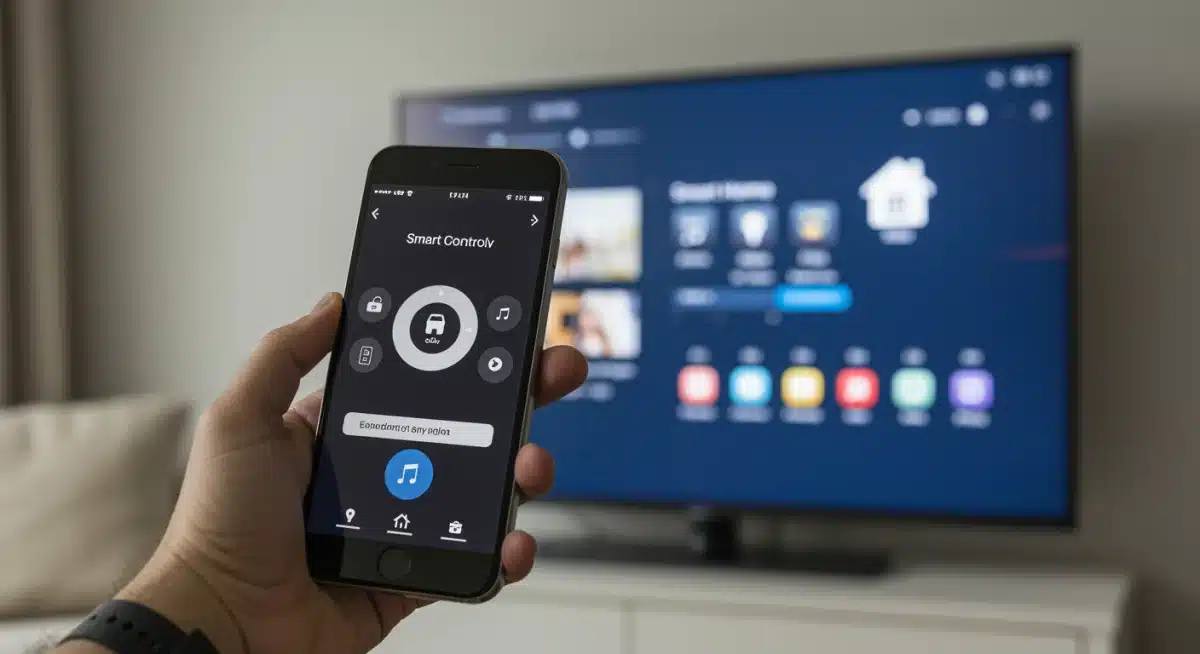
Many smart TVs now feature dedicated smart home dashboards or control panels. These interfaces allow you to view and manage all your connected devices – smart lights, thermostats, security cameras, door locks, and even smart appliances – directly on your TV screen. You can check the status of your devices, adjust settings, and even view live feeds from security cameras without interrupting your viewing experience. This visual overview provides a comprehensive and convenient way to monitor and control your smart home from the comfort of your couch.
For example, while watching a movie, you might receive a notification that someone is at your front door. With smart home integration, you can quickly switch to a picture-in-picture view of your video doorbell feed, communicate with the visitor, and even unlock the door, all from your TV. This level of integration makes your TV a truly interactive and vital component of your smart home ecosystem, offering unparalleled convenience and security.
Interoperability and Ecosystems
The key to successful smart home integration lies in interoperability. Ensure your smart TV supports the smart home ecosystem you’ve invested in. Common ecosystems include Google Home, Amazon Alexa, Apple HomeKit, and Samsung SmartThings. Many TVs are designed to be compatible with multiple platforms, giving you flexibility. Check your TV’s specifications and settings for options like ‘Connected Devices,’ ‘SmartThings,’ or ‘Home Dashboard’ to see which devices and platforms it supports. Setting up these connections usually involves a straightforward pairing process through your TV’s menu or a dedicated smart home app on your phone.
By leveraging these smart TV advanced features, your television becomes more than just a screen; it transforms into a sophisticated command center, simplifying your daily routines and enhancing the comfort and security of your home. It’s an evolution from passive entertainment to active home management, all from the central device in your living room.
3. Personalized User Profiles and Content Recommendations
In households with multiple viewers, the battle for content control and personalized experiences can be a constant struggle. Modern smart TVs address this challenge with advanced features like personalized user profiles and intelligent content recommendations. These capabilities ensure that every member of the family gets a tailored viewing experience, reflecting their individual tastes and preferences, and helping them discover new content they’ll love. This is a significant leap beyond the generic, one-size-fits-all approach of older televisions.
Individual User Profiles
Just like streaming services such as Netflix or Hulu, many smart TVs now allow you to create individual user profiles. Each profile can have its own customized settings, app layouts, and content preferences. This means that when you switch to your profile, the TV will remember your preferred picture and sound settings, your recently watched content, and even the order of your favorite apps. This eliminates the need to constantly readjust settings or sift through recommendations meant for someone else.
For families, this is a game-changer. Parents can have their profile with adult-oriented apps and settings, while children can have their own profiles with age-appropriate content restrictions and a simplified interface. This not only provides a more organized and personalized experience but also enhances parental control, ensuring younger viewers only access suitable content. Setting up profiles typically involves navigating to a ‘Users,’ ‘Accounts,’ or ‘Profiles’ section within your TV’s main settings menu.
Intelligent Content Recommendations
Beyond profiles, smart TVs are becoming increasingly adept at providing intelligent content recommendations. Leveraging AI and machine learning algorithms, your TV analyzes your viewing habits across various apps and sources to suggest movies, shows, and even live TV programs that align with your interests. This moves beyond simple ‘if you watched X, you might like Y’ to more sophisticated predictions based on genres, actors, directors, and even emotional responses to content.
These recommendations can appear directly on your TV’s home screen, making content discovery effortless. Some TVs integrate recommendations from multiple streaming services, presenting a unified ‘What to Watch’ section rather than requiring you to jump between apps. This feature is particularly useful for those who feel overwhelmed by the sheer volume of available content, helping them cut through the noise and find something genuinely engaging. The more you use your TV and interact with content, the smarter these recommendations become, continually refining their suggestions to match your evolving tastes. Activating these smart TV advanced features often involves agreeing to data collection for personalization during initial setup or in privacy settings.
Personalized App Layouts and Settings
With individual profiles, users can also customize their app layouts. This means your frequently used apps can be front and center, while other family members might prefer a different arrangement. Picture and sound settings can also be saved per profile. For instance, one user might prefer a vivid picture mode with boosted bass for action movies, while another prefers a more natural, calibrated look for dramas. These small but significant customizations contribute to a far more satisfying and personalized viewing experience for everyone in the household. Explore the ‘Settings’ and ‘Profiles’ sections of your smart TV to take full advantage of these customization options.
4. Advanced Gaming Features: Elevate Your Play
For gamers, smart TVs have evolved into powerful displays that offer features specifically designed to enhance the gaming experience. Gone are the days when a TV was just a big screen; modern smart TVs are equipped with advanced technologies that can provide a significant competitive edge and a more immersive gaming environment. If you’re a console or PC gamer, understanding these smart TV advanced features is crucial for optimizing your setup.
Variable Refresh Rate (VRR) and Auto Low Latency Mode (ALLM)
Two of the most impactful gaming features are Variable Refresh Rate (VRR) and Auto Low Latency Mode (ALLM), often found on TVs with HDMI 2.1 ports. VRR synchronizes the TV’s refresh rate with the frame rate of your gaming console or PC. This eliminates screen tearing and stuttering, resulting in incredibly smooth and fluid gameplay, especially during fast-paced action sequences. Whether the game is rendering 60 frames per second or dips to 45, VRR ensures the screen refreshes at the same pace, providing a seamless visual experience.
ALLM, on the other hand, automatically detects when a gaming console is connected and activated, switching the TV into its lowest latency mode (Game Mode). This bypasses many of the TV’s image processing functions, drastically reducing input lag – the delay between your controller input and the action on screen. For competitive gamers, even a few milliseconds of input lag can make a difference, and ALLM ensures your TV is always optimized for responsiveness without you having to manually change settings every time you start a game.
High Refresh Rates and 4K/8K Gaming
Many smart TVs now boast high refresh rates, with 120Hz and even 144Hz panels becoming common. Coupled with 4K resolution, this allows for incredibly crisp and fluid gaming at high frame rates, a dream for any serious gamer. For those with next-gen consoles like the PlayStation 5 or Xbox Series X, or powerful gaming PCs, a 4K 120Hz TV unlocks the full potential of these platforms, offering stunning visual fidelity and responsiveness. Some premium TVs even support 8K gaming, pushing the boundaries of resolution and detail, though this is still an emerging technology.
Make sure your TV has HDMI 2.1 ports if you want to take full advantage of 4K 120Hz gaming, VRR, and ALLM, as older HDMI versions may not support these bandwidth-intensive features. Check your TV’s specifications and look for ‘HDMI 2.1’ or ‘Game Mode’ in the settings.
Game Mode and Picture Settings
Beyond ALLM, dedicated ‘Game Mode’ picture presets are essential. These modes are designed to minimize input lag by turning off unnecessary post-processing. However, they can also be customized. Within Game Mode, you might find specific settings to enhance shadow detail (useful for spotting enemies in dark areas), adjust color vibrancy, or enable motion interpolation specifically tuned for games (though many purists prefer to keep this off to avoid ‘soap opera effect’). Experiment with these settings to find the balance between visual quality and responsiveness that suits your gaming style.
Some TVs also offer dedicated ‘Game Bars’ or dashboards that pop up during gameplay, allowing quick access to settings like VRR status, frame rate display, and picture mode adjustments without exiting the game. These user-friendly interfaces further enhance the gaming experience by putting critical controls at your fingertips. By optimizing these smart TV advanced features, you can significantly elevate your gaming sessions, enjoying smoother visuals, quicker responses, and a more immersive world.
Conclusion: Unleash Your Smart TV’s True Potential
Your smart TV is a marvel of modern engineering, a device capable of so much more than simply displaying broadcast and streamed content. By delving into its advanced features – from AI-powered picture and sound optimization to seamless smart home integration, personalized user profiles, and cutting-edge gaming enhancements – you can transform your viewing experience from ordinary to extraordinary. We’ve explored how dynamic tone mapping and AI upscaling can bring unparalleled visual fidelity to your movies and shows, making every scene pop with detail and vibrant color. We’ve seen how adaptive picture and sound technologies intelligently adjust to your environment, ensuring optimal comfort and clarity at all times.
Furthermore, the integration of smart home capabilities turns your TV into a central command hub, allowing you to control lights, thermostats, security cameras, and more, all with your voice or a few clicks of the remote. This level of connectivity not only adds convenience but also enhances the overall intelligence and responsiveness of your home. Personalized user profiles ensure that every member of the household enjoys a tailored experience, with customized settings, app layouts, and intelligent content recommendations that cater to individual tastes, making content discovery a joy rather than a chore.
For the avid gamer, the advancements in smart TV technology are particularly exciting. Features like Variable Refresh Rate (VRR) and Auto Low Latency Mode (ALLM), coupled with high refresh rates and 4K/8K capabilities, provide a gaming experience that is smoother, more responsive, and visually stunning than ever before. These enhancements can significantly impact gameplay, offering a competitive edge and deeper immersion into virtual worlds.
The key takeaway is this: don’t let your smart TV be a passive screen. Take the time to explore its settings, experiment with its functionalities, and truly understand the depth of its capabilities. Many of these smart TV advanced features are designed to work intelligently in the background, but a little active engagement from your side can unlock their full potential. Read your TV’s manual, browse online forums, and don’t hesitate to dive into the settings menus. You might be surprised at what your TV can do.
By embracing these advanced features, you’re not just upgrading your entertainment; you’re integrating your television more deeply into your digital life, making it a more powerful, personalized, and integral part of your home. So, go ahead – unleash the full potential of your smart TV and embark on a richer, more immersive, and more convenient home entertainment journey. The future of television is here, and it’s smarter than you think.