[Software Name] Integration: A US Business System Guide
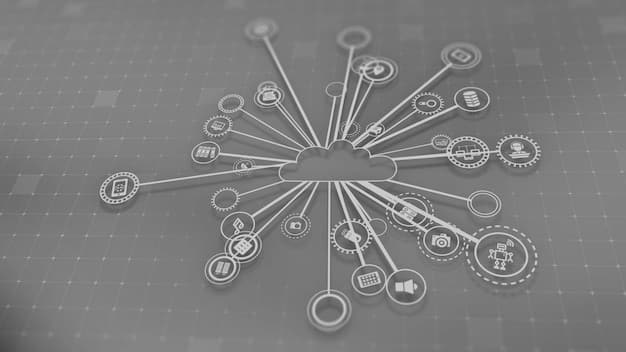
The [Software Name] Integration Guide: Seamlessly Connect Your US Business Systems provides a comprehensive overview of integrating [Software Name] with other platforms, enhancing business operations and streamlining workflows for US-based companies.
Integrating [Software Name] Integration Guide: Seamlessly Connect Your US Business Systems with other business tools is crucial for streamlining workflows. This guide provides a clear roadmap for US businesses looking to leverage the full potential of [Software Name], ensuring smooth data flow and enhanced operational efficiency.
Understanding the Importance of Software Integration for US Businesses
Software integration is no longer a luxury but a necessity for businesses in the US. Integrating different systems allows for better data management, improved efficiency, and a more cohesive operational strategy.
By connecting your [Software Name] software with other key platforms, you can unlock new levels of productivity and gain valuable insights into your business operations.
Why Integrate [Software Name] with Other Systems?
Integrating [Software Name] offers numerous advantages, including streamlined workflows, reduced manual data entry, and improved decision-making based on real-time data.
Benefits of Seamless Integration
A well-integrated system can eliminate data silos, improve communication across departments, and provide a holistic view of your business.
- Streamlined Workflows: Automated processes reduce manual intervention.
- Improved Data Accuracy: Minimizes errors from manual data entry.
- Better Decision-Making: Real-time data insights inform strategic decisions.
- Enhanced Customer Experience: Provides a unified view of customer interactions.
In conclusion, understanding the importance of software integration sets the stage for optimizing business processes and gaining a competitive edge in the US market. Seamless integration ensures that data flows freely and efficiently, leading to better outcomes.
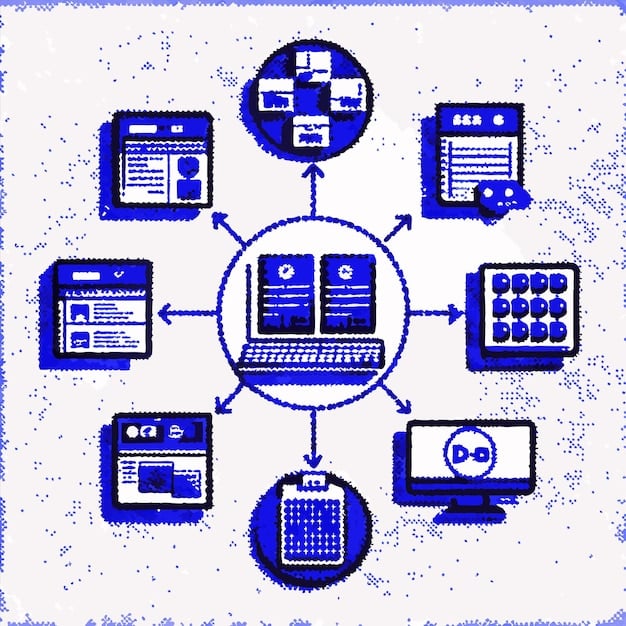
Planning Your [Software Name] Integration Strategy
Before diving into the technical aspects of integration, it’s essential to develop a solid strategy. This involves identifying your goals, assessing your current systems, and choosing the right integration approach.
A well-thought-out plan will help you avoid common pitfalls and ensure a successful integration process, tailored to the specific needs of your US business.
Defining Your Integration Goals
What do you hope to achieve by integrating [Software Name]? Are you looking to improve customer service, streamline financial reporting, or enhance marketing efforts? Clarifying your objectives will guide your integration strategy.
Assessing Your Current Systems
Evaluate the compatibility of your existing systems with [Software Name]. Identify any potential challenges or limitations that may impact the integration process.
- Identify Integration Points: Determine where [Software Name] will connect with other systems.
- Assess Data Compatibility: Ensure that data formats are compatible across systems.
- Evaluate Technical Requirements: Identify any necessary hardware or software upgrades.
In conclusion, proper planning is the cornerstone of a successful [Software Name] integration. By defining clear goals and assessing your current systems, you can create a roadmap that aligns with your business objectives and ensures a smooth integration process.
Choosing the Right Integration Method for [Software Name]
There are several methods for integrating [Software Name] with other systems, each with its own advantages and disadvantages. Understanding these options will help you choose the approach that best fits your needs.
The right integration method can significantly impact the success and efficiency of your integration efforts, ensuring seamless connectivity between [Software Name] and your existing business systems.
API Integration
API (Application Programming Interface) integration allows systems to communicate directly with each other. This method offers flexibility and control but requires technical expertise.
Middleware Integration
Middleware acts as a bridge between [Software Name] and other systems, simplifying the integration process. This option is suitable for businesses with limited technical resources.
- Consider Pre-built Connectors: Leverage pre-built connectors for common integrations.
- Evaluate Custom Integration: Determine if custom solutions are necessary for unique requirements.
- Ensure Data Security: Implement security measures to protect data during transmission.
In summary, choosing the right integration method is crucial for achieving seamless connectivity between [Software Name] and your business systems. Whether through API integration or middleware solutions, the selected approach should align with your technical capabilities and integration goals.

Step-by-Step Guide to Integrating [Software Name]
Integrating [Software Name] involves a series of steps, from preparing your systems to testing the integration. Following a systematic approach can help you avoid errors and ensure a successful outcome.
This step-by-step guide provides a clear roadmap for integrating [Software Name] with your business systems, ensuring a smooth and efficient process.
Preparing Your Systems
Before you begin the integration process, ensure that your systems are up-to-date and properly configured. This includes installing any necessary updates and verifying system compatibility.
Testing the Integration
Thoroughly test the integration to identify and resolve any issues. This includes testing data flow, system performance, and user access.
- Plan the Integration: Outline all the steps involved in the integration.
- Conduct Thorough Testing: Before launching the integration, conduct various tests.
- Roll out the Integration: Start with a small group of users to test.
In conclusion, a systematic approach to integrating [Software Name] is essential for success. By preparing your systems and conducting thorough testing, you can minimize potential issues and ensure a smooth integration process.
Best Practices for Managing Your [Software Name] Integration
After the initial integration, ongoing management is crucial for maintaining system performance and maximizing the benefits of integration. Regular monitoring and updates are essential.
Adhering to these best practices will help you optimize your [Software Name] integration, ensuring that it continues to deliver value and support your business goals.
Monitoring System Performance
Regularly monitor the performance of your integrated systems to identify and address any bottlenecks or performance issues. Use monitoring tools to track key metrics and ensure system stability.
Keeping Systems Up-to-Date
Ensure that all integrated systems are kept up-to-date with the latest patches and updates. This will help protect against security vulnerabilities and ensure compatibility.
- Ensure Ongoing Support: Provide training and assistance.
- Schedule Regular Audits: Audits help identify and rectify performance issues.
- Get User Feedback: Helps fine-tune the integration.
In summary, effective management of your [Software Name] integration is essential for long-term success. By monitoring system performance, keeping systems up-to-date, and providing ongoing support, you can ensure that your integration continues to deliver value to your business.
Troubleshooting Common [Software Name] Integration Issues
Despite careful planning and execution, integration issues can arise. Knowing how to troubleshoot common problems can help you resolve them quickly and minimize downtime.
This section provides guidance on addressing common [Software Name] integration issues, ensuring that you can maintain a stable and efficient integration environment.
Data Synchronization Problems
Address data synchronization issues by verifying data mappings and ensuring that data is being transmitted correctly between systems. Use data validation tools to identify and correct errors.
Connectivity Issues
Troubleshoot connectivity issues by checking network connections, verifying API keys, and ensuring that firewalls are configured correctly. Consult with your IT team to resolve complex network problems.
- Check Error Logs: Review log files for clues about the cause.
- Restore Backup System: Restore the last known working system.
- Consult Technical Support: Seek expert assistance when you encounter complex problems.
Finally, by knowing how to troubleshoot these common issues, you can minimize downtime and maintain a stable integration environment.
| Key Point | Brief Description |
|---|---|
| 🚀 Importance of Integration | Seamless integration streamlines data, boosts efficiency, and enhances overall business operations. |
| 🎯 Planning Strategy | Define clear goals, assess current systems, and choose the right approach for successful integration. |
| 🛠️ Integration Methods | API and middleware integrations offer various options based on technical skills and business needs. |
| ⚙️ Managing Integration | Regular monitoring, updates, and user feedback are essential for maintaining optimal system performance. |
Frequently Asked Questions
▼
Software integration is connecting different software systems to work as one. It’s important because it reduces manual tasks, improves data accuracy, and streamlines business processes and workflows.
▼
Consider your technical expertise, budget, and specific needs. API integration offers flexibility but requires technical skills. Middleware providessimpler solutions if you lack resources or expertise to build a connector.
▼
Common challenges include data incompatibility, connectivity problems, and security vulnerabilities. Mitigate these by planning thoroughly, ensuring data compatibility, implementing security measures, and providing continuous monitoring.
▼
Regularly, at least quarterly, or as critical updates are released by software providers. Keeping your systems updated ensures security, compatibility, and optimal performance, thus avoiding many issues.
▼
Consult your software provider, system integrator, or third-party integration specialists. Ensure they have experience with [Software Name] and your target systems to provide effective solutions catered to your business.
Conclusion
Integrating [Software Name] with your US business systems offers significant benefits in terms of efficiency, data accuracy, and overall operational performance. By carefully planning your integration strategy, choosing the right integration method, and following best practices for ongoing management, you can ensure a successful and valuable integration that supports your business goals.