The 3 Best Software for US Freelancers in 2025: A Review

The 3 Best Software Options for US-Based Freelancers in 2025: A Detailed Review analyzes top software choices tailored to streamline operations, improve productivity, and ensure financial stability for freelancers in the United States, covering project management, accounting, and communication tools.
Navigating the freelance world in the US requires more than just talent; it demands smart tools. Join us as we explore the 3 Best Software Options for US-Based Freelancers in 2025: A Detailed Review, helping you choose the perfect software to excel.
Best software for freelancers in 2025
As we approach 2025, US-based freelancers need to be equipped with the best tools to stay competitive and efficient. The right software can make a significant difference in managing projects, finances, and client communication. This review focuses on identifying the top three software options that can help freelancers thrive in the coming year.
These tools are selected based on their features, user-friendliness, integration capabilities, and overall value for money. Let’s dive into the details and see which software solutions stand out as the best for freelancers in the US.
Importance of Choosing the Right Software
Selecting appropriate software is crucial for freelancers because it directly impacts productivity, organization, and financial management. The right tools can automate tasks, reduce errors, and improve communication with clients. Investing in quality software is an investment in your freelance business’s success.
- Improved Efficiency: Automation of repetitive tasks frees up time for more important work.
- Better Organization: Keeps projects, finances, and client information well-structured.
- Enhanced Communication: Facilitates clear and professional interactions with clients.
Key Considerations for Freelancers
When evaluating software options, freelancers should consider factors such as pricing, scalability, ease of use, and customer support. It’s important to choose tools that fit your current needs but can also grow with your business.
Think about compatibility: does a certain software integrates with other tools you use to run your freelance business?
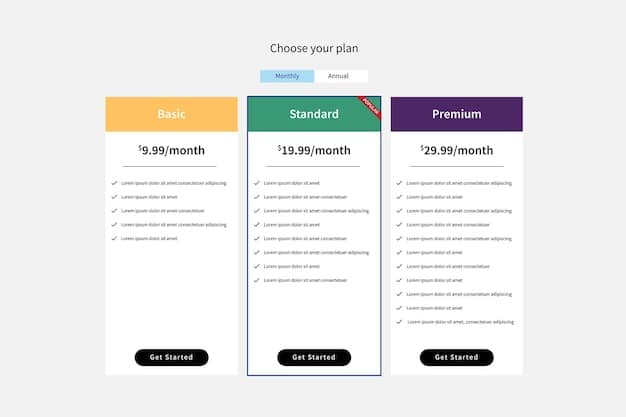
Choosing the wrong software can lead to inefficiencies and wasted resources, highlighting the essential need for diligent consideration. Investing wisely will pay dividends in your freelance business.
Top project management software
Project management software is essential for freelancers to stay organized, meet deadlines, and manage client expectations. Here, we’ll explore one of the best options available in 2025.
Good project management ensures that you don’t miss deadlines and that your clients are satisfied.
Asana
Asana is a versatile and user-friendly project management tool that helps freelancers track tasks, collaborate with clients, and manage projects from start to finish. Its intuitive interface and robust features make it a top choice for freelancers across various industries.
Asana is designed to handle projects of different types and sizes.
- Task Management: Create, assign, and track tasks with deadlines and dependencies.
- Collaboration: Share files, leave comments, and communicate with team members and clients.
- Calendar View: Visualize project timelines and deadlines in a calendar format.
- Integrations: Connect with other popular tools like Google Drive, Slack, and Trello.
Asana’s flexibility and integration capabilities make it extremely valuable for freelancers seeking to streamline their project management processes. It’s a suitable choice for those who need to manage complex projects or collaborate extensively with others.
Asana stands out because it combines all the features required for proper project management in a package that is easy to grasp.
Accounting software for financial control
Managing finances is a critical aspect of freelancing. Reliable accounting software can simplify bookkeeping, track income and expenses, and ensure compliance with tax regulations as well. Accounting software will help maintain professionality and accuracy. It’s an essential tool for freelancers.
Failure to keep track of finances may cause trouble with taxes in the future and loss of money due to unnecessary expenses.

QuickBooks Self-Employed
QuickBooks Self-Employed is tailored specifically for freelancers and independent contractors. It offers features like income and expense tracking, invoice creation, and tax estimation to help freelancers stay on top of their finances.
QuickBooks Self-Employed makes it easier to manage the money, track the income and forecast earnings as well.
- Income and Expense Tracking: Automatically track income and expenses from bank accounts and credit cards.
- Invoice Creation: Create and send professional invoices to clients with ease.
- Tax Estimation: Estimate quarterly and annual taxes to avoid surprises at tax time.
- Mileage Tracking: Track business-related mileage for tax deductions.
QuickBooks Self-Employed is a powerful tool that simplifies financial management for freelancers. It’s especially useful for those who need help with tax compliance and expense tracking. By helping you manage expenses in a timely way, it improves your earnings.
The ability to track and report metrics makes QuickBooks the best option for financial control.
Top Communication Platforms for Freelancers
Effective communication is key to building strong client relationships and ensuring project success. The communication tools chosen should not only facilitate the exchange of information, but also boost relationship with clients. The options available are numerous and should be carefully evaluated.
Software that helps you communicate effectively with your clients is indispensable.
Slack
Slack is a widely used communication platform that allows freelancers to communicate with clients, collaborators, and team members in real-time. Its channels, direct messages, and file-sharing capabilities make it a versatile tool for professional communication.
Slack’s multiple communication methods and features are the main aspects that make it so popular.
- Channels: Organize conversations by topic, project, or client.
- Direct Messages: Communicate privately with individuals or small groups.
- File Sharing: Easily share files, documents, and images with colleagues and clients.
- Integrations: Connect with other tools like Google Calendar, Zoom, and Asana.
Slack’s ability to streamline communication and keep all conversations organized makes it an essential tool for freelancers. It’s particularly useful for those who work with multiple clients or collaborate with remote teams. When information flows freely, there are fewer chances of mistakes.
A better flow of information is the key to client and team satisfaction and is one of the aspects which makes Slack stand out.
Integrations and Compatibility
When selecting software, consider how well it integrates with other tools you already use. Seamless integration can save time and reduce the need for manual data entry. Software interoperability helps avoid friction and reduces the chances of errors.
For example, if you use google Drive, consider choosing tools that offer integration with it.
Importance of Integration
Integration between software platforms can streamline workflows, improve data accuracy, and enhance overall efficiency. Look for tools that offer open APIs or native integrations with your existing software stack.
- Streamlined Workflows: Automate data sharing between different tools.
- Improved Data Accuracy: Reduce the risk of errors from manual data entry.
- Enhanced Efficiency: Save time by avoiding the need to switch between multiple platforms.
Compatibility Considerations
Ensure that the software you choose is compatible with your operating system, browser, and devices. Check for mobile apps or responsive web designs to stay connected on the go. Choosing incompatible software may defeat its purpose, as it may not be viable for adoption.
Mobile apps are an important factor, especially for people who commute a lot.
Choosing software based on its integration capabilities can significantly enhance your productivity and reduce the time spent on administrative tasks. This helps ensure that you can focus more on your core work and deliver better results for your clients. By guaranteeing smooth data flow, you minimize risks and maximize efficiency.
The money saved with more efficient workflows is a factor to consider when comparing software. The bottom line is that greater interoperability means greater savings.
Pricing and Value for Money
Freelancers often operate on tight budgets, so it’s essential to consider the pricing of software and ensure it offers good value for money. Compare the features and benefits of different options to find the best fit for your needs.
Price is a key factor when choosing which tools to use.
- Free Trials and Demos: Take advantage of free trials or demo versions to test out software before committing to a subscription.
- Subscription Plans: Evaluate different subscription plans to find one that aligns with your usage and budget.
- Long-Term Costs: Consider the long-term costs of software, including potential upgrades, add-ons, and support fees.
Investing in software that offers a high return on investment can significantly enhance your freelance business. By carefully evaluating pricing plans and value propositions, you can make informed decisions that benefit your bottom line.
Evaluate the possibility to pay upfront to get discounts on yearly licenses.
| Key Point | Brief Description |
|---|---|
| 🚀 Task Management | Efficiently manage projects and deadlines with task assignments. |
| 💰 Financial Tracking | Keep income and expenditures organized for tax compliance. |
| 🗣️ Client Communication | Enhance client interactions with streamlined communication tools. |
| 🤝 Integration | Connect various tools for a more efficient workflow. |
FAQ
▼
Asana is highly recommended for managing complex projects and collaborating with clients, providing efficient task tracking and timeline visualization.
▼
QuickBooks Self-Employed is excellent for tracking income, expenses, and estimating taxes, specifically designed for freelancers’ financial management.
▼
Slack is preferred as communication tool, enabling quick feedback cycles and efficient discussion, as well as facilitating team collaboration.
▼
Consider pricing, integration capabilities, ease of use, and scalability. It’s crucial to select software that aligns with your needs and grows with your business.
▼
Integration streamlines workflows, reduces errors, and enhances efficiency by automating data sharing between platforms, which saves time.
Conclusion
Choosing the right software is vital for US-based freelancers looking to enhance their efficiency and manage their businesses effectively in 2025. By considering the top options discussed, freelancers can make informed decisions to thrive in a competitive landscape.