Video Editing Software 2025: Top 3 Suites for Pros
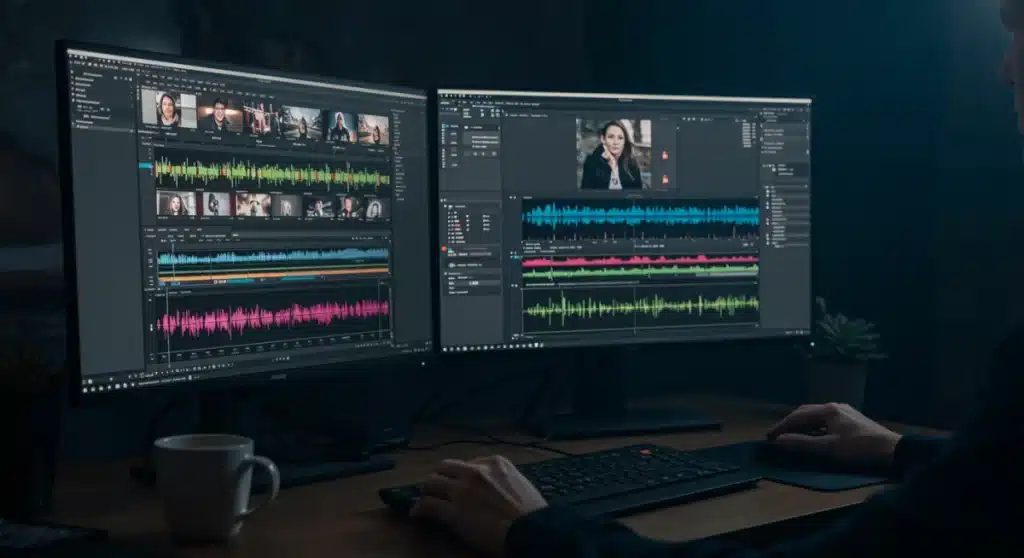
The ultimate comparison of the top 3 leading video editing software suites for professional creators in 2025 reveals Adobe Premiere Pro, DaVinci Resolve, and Final Cut Pro as the industry’s frontrunners, each offering distinct advantages for diverse production needs.
For professional creators, selecting the right video editing software 2025 is paramount to achieving cinematic quality and efficient workflows. In an ever-evolving digital landscape, where content demands are higher than ever, the tools we choose can significantly impact our creative output and productivity. This comprehensive comparison delves into the three leading software suites dominating the professional sphere.
Adobe Premiere Pro: The Industry Standard’s Evolution
Adobe Premiere Pro has long been a cornerstone of professional video editing. Its deep integration within the Adobe Creative Cloud ecosystem makes it an indispensable tool for many, offering seamless transitions between applications like After Effects, Photoshop, and Audition. The 2025 iteration continues to build on its legacy, introducing enhanced AI-driven features and performance optimizations that solidify its position.
The strength of Premiere Pro lies in its versatility and extensive feature set, catering to a wide range of projects from corporate videos to feature films. Its robust timeline allows for intricate layering and precise control over every element of a production.
Advanced AI and Machine Learning Capabilities
Adobe has heavily invested in AI to streamline repetitive tasks and enhance creative possibilities. The 2025 version showcases significant advancements in this area, making editing more intuitive and efficient.
- Speech-to-Text Transcription: Automated, highly accurate transcription for effortless subtitle generation and text-based editing.
- Auto Reframe: Intelligently adjusts aspect ratios for different social media platforms, saving countless hours.
- Enhanced Scene Edit Detection: Quickly identifies cuts in finished videos, allowing for easier re-editing of existing content.
- Object Selection Tool: AI-powered masking for precise isolation of elements within a frame, simplifying complex visual effects.
These AI tools not only accelerate the editing process but also empower editors to focus more on creative storytelling rather than technical minutiae. The integration with Adobe Sensei, Adobe’s AI framework, means these features are constantly learning and improving.
Performance and Workflow Enhancements
While often criticized for its resource intensity, Premiere Pro 2025 has seen substantial performance improvements. Optimized playback, faster export times, and more stable project handling are key areas of focus. The software now leverages GPU acceleration more effectively, especially with modern hardware configurations.
Adobe’s commitment to cloud-based collaboration also continues, with improved team project functionality allowing multiple editors to work on the same project simultaneously, regardless of their physical location. This is particularly beneficial for large-scale productions and remote teams.
In conclusion, Adobe Premiere Pro 2025 remains a powerhouse for professionals. Its comprehensive feature set, deep ecosystem integration, and evolving AI capabilities make it a top contender, despite its subscription-based model and occasional demands on system resources. For those already embedded in the Adobe Creative Cloud, it offers an unparalleled workflow.
DaVinci Resolve: The All-in-One Powerhouse
DaVinci Resolve, once known primarily for its industry-leading color grading capabilities, has transformed into a full-fledged, all-in-one post-production suite. Blackmagic Design’s commitment to providing a free, yet incredibly powerful, version alongside its Studio counterpart has garnered immense popularity among professionals and aspiring creators alike. The 2025 iteration continues to push boundaries, especially in performance and integrated workflows.
Its modular design, with dedicated pages for media, edit, cut, fusion, color, fairlight, and deliver, allows users to specialize in specific tasks while maintaining a cohesive project environment. This structure is particularly appealing to those who prefer a streamlined approach to complex post-production.
Unrivaled Color Grading and Visual Effects
DaVinci Resolve’s color page is still considered the gold standard for professional colorists. Its sophisticated tools for primary and secondary corrections, HDR grading, and node-based workflow offer unparalleled control over the aesthetic of a film or video. The integration of Fusion, its advanced visual effects compositor, further enhances its capabilities, allowing for complex VFX work directly within the editing environment.
- Node-Based Color Workflow: Offers ultimate flexibility and precision for intricate color adjustments.
- Magic Mask: AI-powered object isolation for targeted color grading and effects application.
- Fusion Compositing: Seamless integration of 2D and 3D visual effects, motion graphics, and advanced compositing.
- Neural Engine: Leverages AI for features like facial recognition, object detection, and smart reframe, similar to Premiere Pro.
The ability to handle high-resolution footage and complex effects without significant slowdowns is a testament to Resolve’s optimized engine, especially when paired with powerful GPUs.
Audio Post-Production with Fairlight
The Fairlight page in DaVinci Resolve offers a complete digital audio workstation (DAW) for audio post-production. From recording and editing to mixing and mastering, Fairlight provides professional-grade tools for sound designers and audio engineers. This integrated approach means fewer round-trips to external audio software, leading to a more efficient and less disruptive workflow.
Features like automatic dialogue alignment, advanced noise reduction, and comprehensive mixing consoles make it a viable alternative to dedicated audio software for many projects.
In summary, DaVinci Resolve 2025 stands out as an incredibly robust and feature-rich suite. Its unparalleled color grading, integrated VFX, and powerful audio tools, combined with the accessibility of its free version, make it an extremely compelling choice for professionals seeking an all-in-one solution. Its learning curve can be steep, but the investment often pays off in creative freedom and efficiency.
Final Cut Pro: Apple’s Optimized Ecosystem Editor
Final Cut Pro, Apple’s professional video editing software, remains a strong contender, especially for users within the macOS ecosystem. Known for its magnetic timeline, intuitive interface, and optimized performance on Apple hardware, Final Cut Pro 2025 continues to refine its user experience and integrate seamlessly with other Apple services and devices. It targets editors who prioritize speed, simplicity, and a fluid creative process.
Its design philosophy emphasizes efficiency, allowing editors to quickly assemble and refine their projects without getting bogged down by traditional track-based editing complexities. This makes it particularly popular among documentary filmmakers, YouTubers, and corporate video producers.
Magnetic Timeline and Efficient Organization
The magnetic timeline is Final Cut Pro’s signature feature, automatically closing gaps and preventing clip collisions. This innovative approach to editing allows for rapid assembly and rearrangement of clips, significantly speeding up the initial stages of a project. Coupled with robust organizational tools like keywords, smart collections, and roles, managing large amounts of media becomes much more manageable.
- Magnetic Timeline 2.0: Further refinements for even smoother clip management and storytelling.
- Roles-Based Audio Editing: Organize and mix audio tracks based on their function (dialogue, music, effects) for quick adjustments.
- Proxy Workflow: Create and manage proxy media for smooth editing of high-resolution footage on less powerful machines.
- Enhanced Media Management: Streamlined import, organization, and search capabilities for large projects.
These features collectively contribute to a highly efficient workflow, allowing editors to maintain creative flow without constant technical distractions.
Performance and Hardware Integration
Final Cut Pro is meticulously optimized for Apple’s M-series chips, delivering exceptional performance, especially on Mac Studio and MacBook Pro models. This tight hardware-software integration results in faster render times, smoother playback of complex timelines, and efficient handling of high-resolution and ProRes footage. For professionals working exclusively within the Apple ecosystem, this optimization provides a significant advantage.
The software also benefits from Apple’s ecosystem, offering seamless integration with Motion for advanced graphics, Compressor for encoding, and even direct uploads to platforms like YouTube and Vimeo. This cohesive environment simplifies the entire production pipeline from start to finish.
In conclusion, Final Cut Pro 2025 continues to be an excellent choice for macOS users seeking a fast, intuitive, and highly optimized editing experience. Its magnetic timeline and robust organizational tools foster a creative environment, while its performance on Apple silicon is unmatched. While it lacks the cross-platform flexibility of Premiere Pro or the extensive color depth of Resolve, its strengths within the Apple ecosystem are undeniable.
Feature Comparison: A Deep Dive into Key Aspects
Beyond the general overview, a detailed look at specific features helps clarify which software aligns best with particular professional needs. Each suite boasts unique strengths in areas critical to modern video production.
Understanding these nuances is crucial for making an informed decision, as a slight advantage in one area can significantly impact a specific workflow or project type. From collaborative tools to pricing models, the differences can be substantial.
Collaboration and Team Workflows
For larger productions or teams, collaborative features are paramount. Adobe Premiere Pro, with its Team Projects, offers a robust cloud-based solution for simultaneous editing and asset management. DaVinci Resolve also provides excellent multi-user project capabilities, particularly strong for local networks, allowing different specialists (editor, colorist, sound designer) to work on the same project file concurrently. Final Cut Pro, while offering some library sharing options, is less focused on real-time, multi-user collaboration compared to its competitors.
Pricing Models and Accessibility
- Adobe Premiere Pro: Operates on a subscription model (Creative Cloud), offering flexibility but incurring ongoing costs.
- DaVinci Resolve: Offers a highly capable free version, with a one-time purchase for the Studio version that unlocks advanced features and GPU acceleration. This makes it incredibly accessible.
- Final Cut Pro: A one-time purchase, exclusive to macOS, providing long-term value without recurring fees.
The financial commitment varies significantly, influencing decisions based on budget and long-term investment strategies. Resolve’s free tier is a major draw for independent creators and small studios.
In essence, each software has designed its collaborative and pricing structures to cater to different segments of the market. Premiere Pro targets larger agencies and individuals who benefit from the Creative Cloud ecosystem, Resolve appeals to those seeking powerful tools with flexible pricing, and Final Cut Pro serves the dedicated Apple user base.
Performance Benchmarking and System Requirements
The performance of video editing software is heavily reliant on the underlying hardware. For 2025, all three leading suites demand modern, powerful systems, but their optimization for different architectures varies significantly. Understanding these requirements is key to ensuring a smooth and efficient editing experience.
Investing in the right hardware can often mitigate performance bottlenecks, but software optimization plays an equally critical role in how efficiently resources are utilized. This section breaks down what to expect.
Hardware Optimization and GPU Acceleration
Adobe Premiere Pro: Benefits greatly from powerful multi-core CPUs and strong GPU acceleration, particularly NVIDIA CUDA cores. It is cross-platform, meaning performance can vary widely depending on Windows or macOS configurations, but it’s generally resource-intensive.
DaVinci Resolve: Known for its exceptional GPU utilization, especially for color grading and Fusion effects. It scales incredibly well with multiple GPUs and is highly optimized for both NVIDIA and AMD graphics cards on Windows, macOS, and Linux. Its performance with RAW and high-resolution footage is often superior due to this optimization.
Final Cut Pro: Uniquely optimized for Apple’s M-series silicon. This results in unparalleled performance on Mac hardware, with efficient power consumption and fast render times. While it runs on Intel Macs, its true potential is unlocked on Apple Silicon.
Recommended System Specifications for 2025
- CPU: Intel Core i7/i9 (11th Gen or newer), AMD Ryzen 7/9 (5000 series or newer), or Apple M1/M2/M3 Pro/Max/Ultra.
- RAM: Minimum 32GB, 64GB recommended for 4K and higher resolution editing.
- GPU: Dedicated graphics card with at least 8GB VRAM (NVIDIA RTX 30-series/40-series, AMD Radeon RX 6000/7000 series, or Apple M-series integrated GPU).
- Storage: Fast SSD (NVMe recommended) for operating system, applications, and media caches. Separate fast drives for project files and media.
These specifications represent a baseline for professional work in 2025. Higher-end components will naturally yield better performance, especially for projects involving complex effects, high frame rates, or ultra-high-definition footage.
In conclusion, while all three suites require robust systems, DaVinci Resolve excels in GPU utilization across platforms, and Final Cut Pro offers unmatched efficiency within the Apple ecosystem. Premiere Pro remains versatile but demands significant resources, making hardware choice a critical factor for professional editors.
User Experience and Learning Curve
The journey of mastering any professional video editing software involves navigating its user interface, understanding its workflows, and adapting to its unique operational philosophies. For 2025, while all three contenders boast powerful features, their approach to user experience and the associated learning curve can significantly differ.
Ease of use doesn’t always equate to lack of power; rather, it often reflects thoughtful design and intuitive tool placement. Conversely, a steeper learning curve might unlock deeper control and customization for those willing to invest the time.
Interface Design and Intuitiveness
- Adobe Premiere Pro: Features a traditional, highly customizable panel-based interface. Its familiarity to those coming from other Adobe applications is a strength, but new users might find the sheer number of options overwhelming initially.
- DaVinci Resolve: Its page-based workflow (Media, Cut, Edit, Fusion, Color, Fairlight, Deliver) logically separates tasks, which can be very intuitive for specialists. However, mastering the transitions and understanding each page’s depth requires dedication. The ‘Cut’ page is designed for speed, catering to quick edits.
- Final Cut Pro: Renowned for its clean, modern interface and the magnetic timeline. It’s often considered the most accessible for newcomers to professional editing, abstracting away some complexities of traditional track-based systems. However, its unique approach can be a hurdle for editors transitioning from other NLEs.
Each interface is designed with a specific philosophy in mind, catering to different editing styles and preferences. Premiere Pro offers maximum flexibility, Resolve provides structured specialization, and Final Cut Pro prioritizes speed and simplicity within its ecosystem.
Community Support and Learning Resources
The availability of learning resources and community support is crucial for both new and experienced users. All three platforms benefit from extensive online communities, tutorials, and documentation.
Adobe Premiere Pro: Benefits from Adobe’s vast official documentation, a plethora of third-party tutorials, and a massive user base on platforms like YouTube and dedicated forums. Its long-standing presence means almost any question has likely been answered.
DaVinci Resolve: Blackmagic Design offers excellent official training materials, including free certification courses. The community has grown exponentially, leading to a rich ecosystem of tutorials and support channels. Its active forum is also a valuable resource.
Final Cut Pro: Apple provides comprehensive user guides and support. The community is strong, particularly among Mac users, with many content creators and educators focusing on its unique workflows. Its streamlined nature often means fewer complex troubleshooting scenarios.
In conclusion, the learning curve and user experience are highly subjective. Premiere Pro offers familiarity for Adobe users, Resolve provides specialized pages for focused work, and Final Cut Pro excels in intuitive, fast editing within the Apple ecosystem. The choice often comes down to personal preference, existing software familiarity, and the willingness to learn a new paradigm.
| Key Aspect | Summary |
|---|---|
| Adobe Premiere Pro | Industry standard, Creative Cloud integration, strong AI, subscription model. |
| DaVinci Resolve | All-in-one suite, best-in-class color grading, free version available, high GPU demand. |
| Final Cut Pro | macOS exclusive, magnetic timeline, optimized for Apple Silicon, one-time purchase. |
| Key Takeaway | Choice depends on ecosystem, budget, workflow preference, and project type. |
Frequently Asked Questions About Video Editing Software
For beginners, DaVinci Resolve’s free version offers an incredible entry point with professional tools, though it has a learning curve. Final Cut Pro is also highly intuitive for new users, especially those on macOS, due to its streamlined interface and magnetic timeline.
This depends on your budget and needs. Subscriptions (like Adobe Premiere Pro) offer continuous updates and cloud integration but incur ongoing costs. One-time purchases (like Final Cut Pro or DaVinci Resolve Studio) provide long-term ownership without recurring fees, but major version upgrades might require another purchase.
Absolutely. DaVinci Resolve is widely used in professional film production, particularly for its advanced color grading and integrated audio post-production (Fairlight) capabilities. Its comprehensive suite makes it suitable for high-end cinematic projects, often rivaling or exceeding dedicated tools.
Creative Cloud integration offers seamless workflows between Premiere Pro and other Adobe apps like After Effects for VFX, Photoshop for graphics, and Audition for audio. This ecosystem streamlines complex projects, allowing editors to move between specialized tools without cumbersome exports or imports.
Hardware optimization is critically important. Software tightly integrated with specific hardware, like Final Cut Pro with Apple Silicon, can deliver superior performance, faster render times, and smoother playback. Powerful CPUs, ample RAM, and dedicated GPUs are essential for efficient professional video editing, regardless of the software.
Conclusion
The landscape of professional video editing software 2025 is vibrant, with Adobe Premiere Pro, DaVinci Resolve, and Final Cut Pro standing out as the leading contenders. Each offers a unique blend of features, performance, and workflow optimization tailored to different professional needs and preferences. Premiere Pro continues to be the versatile industry standard, bolstered by its Creative Cloud ecosystem and evolving AI. DaVinci Resolve emerges as an all-in-one powerhouse, especially for color grading and integrated post-production, with the added benefit of a robust free version. Final Cut Pro, optimized for Apple’s ecosystem, delivers unmatched speed and an intuitive experience for macOS users. Ultimately, the best choice hinges on an editor’s specific projects, existing hardware, budget, and preferred workflow, ensuring that creators have powerful tools at their disposal to bring their visions to life in 2025 and beyond.