Unbiased Video Editing Software Review 2026 for US Pros
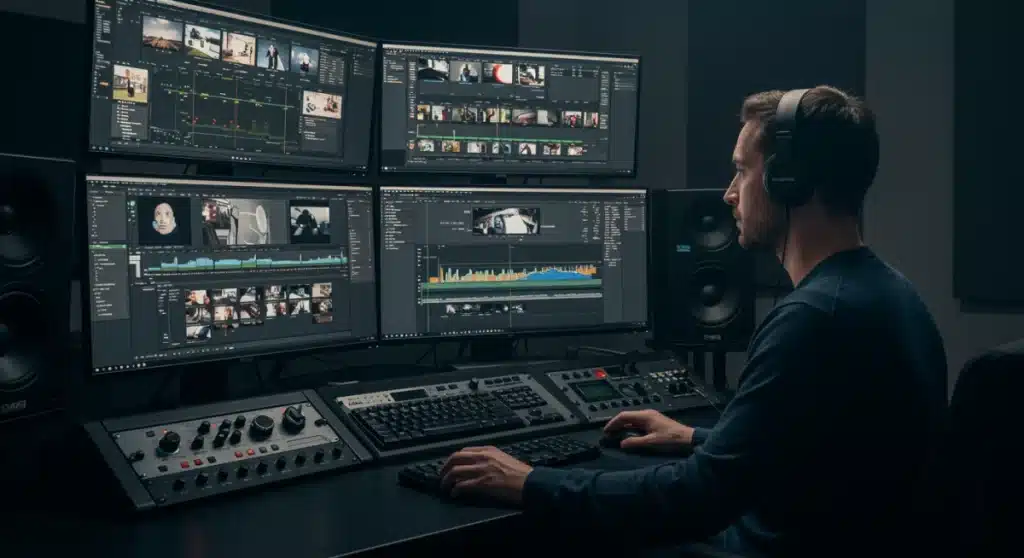
Evaluating the top three video editing suites for professional US creators in 2026 reveals distinct advantages in performance, feature sets, and integration tailored for diverse post-production workflows.
Welcome, professional creators! Navigating the ever-evolving landscape of post-production tools can be a daunting task, especially when seeking the perfect fit for your workflow. This Unbiased Software Review: Comparing 3 Leading Video Editing Suites for Professional US Creators in 2026 aims to cut through the noise, providing a clear, concise, and objective analysis of the industry’s frontrunners. We’ll dive deep into their capabilities, performance, and user experience to help you make an informed decision for your projects.
The Evolving Landscape of Video Editing in 2026
The year 2026 marks a significant period for video editing, characterized by unprecedented integration of AI, cloud-based collaboration, and increasingly sophisticated hardware acceleration. Professional US creators face a dynamic environment where efficiency and creative freedom are paramount. The leading software suites have responded by pushing boundaries, offering features that were once considered futuristic, now standard.
This evolution directly impacts the selection process for professionals. Gone are the days when a simple feature list sufficed; today, editors must consider ecosystem integration, real-time rendering capabilities, and the seamless flow between different stages of post-production. The demands of high-resolution content, immersive experiences, and rapid turnaround times necessitate tools that are not only powerful but also intuitively designed for speed and reliability.
Understanding these shifts is crucial before delving into specific software. The best video editing suite for 2026 isn’t just about raw power; it’s about intelligent design that anticipates and supports the modern creator’s needs, from initial ingest to final delivery. Our review will highlight how each contender addresses these contemporary challenges, ensuring our comparison remains relevant and valuable to today’s professionals.
Adobe Premiere Pro: The Industry Standard’s Continued Reign
Adobe Premiere Pro remains a formidable force in the professional video editing arena, largely due to its deep integration within the Adobe Creative Cloud ecosystem and its continuous innovation. For US creators, its ubiquity often means easier collaboration and access to a vast array of complementary tools like After Effects and Audition.
In 2026, Premiere Pro has further refined its AI-powered features, making tasks like speech-to-text transcription, automated color correction, and intelligent reframing more efficient than ever. Its robust timeline, extensive format support, and highly customizable interface continue to appeal to a broad spectrum of editors, from documentary filmmakers to commercial producers.
Key Strengths of Premiere Pro
- Creative Cloud Integration: Seamless workflow with After Effects, Photoshop, Audition, and other Adobe apps.
- AI-Powered Features: Advanced automated tools for transcription, color, and motion graphics.
- Extensive Format Support: Compatibility with virtually all modern video and audio formats.
- Community and Resources: Large user base means abundant tutorials, plugins, and support.
However, its subscription-based model can be a point of contention for some, and its resource demands can be significant for complex projects. Despite these considerations, Premiere Pro’s comprehensive toolset and adaptability ensure its position as a top choice for many professionals.
The continued updates and feature additions demonstrate Adobe’s commitment to staying ahead of industry trends. For creators heavily invested in the Adobe ecosystem, Premiere Pro offers an unparalleled level of synergy, making it a powerful hub for all their creative endeavors.
DaVinci Resolve Studio: A Rising Powerhouse
Blackmagic Design’s DaVinci Resolve Studio has rapidly ascended to become a serious contender, often praised for its comprehensive suite of tools that span editing, color correction, visual effects, and audio post-production. Its unique page-based workflow, where each page is dedicated to a specific task, offers a distinct approach to the editing process.
By 2026, Resolve has solidified its reputation for superior color grading capabilities, often considered the industry benchmark. Beyond color, its Fusion page for VFX and Fairlight page for audio provide professional-grade tools that rival standalone applications. This all-in-one philosophy appeals strongly to independent creators and smaller studios looking for a powerful, integrated solution without the need for multiple software licenses.
Why Resolve Stands Out
- Unmatched Color Grading: Industry-leading tools for precise color correction and grading.
- Integrated Workflow: All-in-one solution for editing, VFX, audio, and motion graphics.
- Fairlight Audio: Professional-level audio post-production directly within the software.
- Cost-Effective: A one-time purchase model for the Studio version, with a robust free version available.
While its learning curve can be steeper for newcomers, particularly those transitioning from more traditional NLEs, the investment in mastering Resolve often pays dividends in terms of creative control and workflow efficiency. Its performance, especially with Blackmagic’s own hardware, is consistently impressive.
DaVinci Resolve Studio represents a compelling alternative for professionals seeking a complete post-production package. Its commitment to providing high-end features at a competitive price point continues to disrupt the market, making it an increasingly popular choice among US creators.
Avid Media Composer: The Broadcast and Enterprise Choice
Avid Media Composer, for decades, has been the backbone of major film and television productions, particularly in broadcast and enterprise environments. Its strengths lie in its robust media management, collaborative capabilities, and unparalleled stability, making it the preferred choice for large-scale, complex projects requiring stringent workflows.
In 2026, Media Composer continues to evolve, focusing on enhancing its core strengths while integrating more modern features. Its project sharing and bin locking features are unmatched, allowing multiple editors to work simultaneously on the same project without conflicts. This is critical for fast-paced productions with tight deadlines, common in the US media industry.
Avid’s Enduring Advantages
- Robust Media Management: Superior handling of massive amounts of media files and projects.
- Advanced Collaboration: Industry-leading tools for multi-editor workflows and shared projects.
- Unmatched Stability: Renowned for its reliability in high-pressure production environments.
- Scalability: Designed to handle projects of any size, from short films to major blockbusters.
While its interface might appear less flashy than its competitors and its learning curve can be steep for those unfamiliar with its specific methodology, Media Composer’s foundational stability and media-centric approach are invaluable. It’s not always about the flashiest features but about consistent, reliable performance under demanding conditions.
For US creators working within established broadcast networks, large production houses, or educational institutions, Avid Media Composer remains a logical and often mandated choice. Its specialized tools and enterprise-level support ensure that complex productions run smoothly and efficiently, solidifying its niche in the professional editing landscape.
Performance and Workflow Considerations
When selecting a video editing suite in 2026, performance and workflow integration are as critical as the feature set itself. Each of the three leading contenders – Adobe Premiere Pro, DaVinci Resolve Studio, and Avid Media Composer – approaches these aspects with different philosophies, catering to varied professional needs.
Premiere Pro, while powerful, can sometimes be resource-intensive, especially with complex effects and multiple layers. Its performance often thrives on good hardware acceleration and a well-optimized system. The strength here lies in its adaptability and the sheer volume of plugins and extensions that can enhance specific workflows, albeit sometimes at the cost of raw speed. Its cloud-centric approach also facilitates remote collaboration, a growing necessity in 2026.
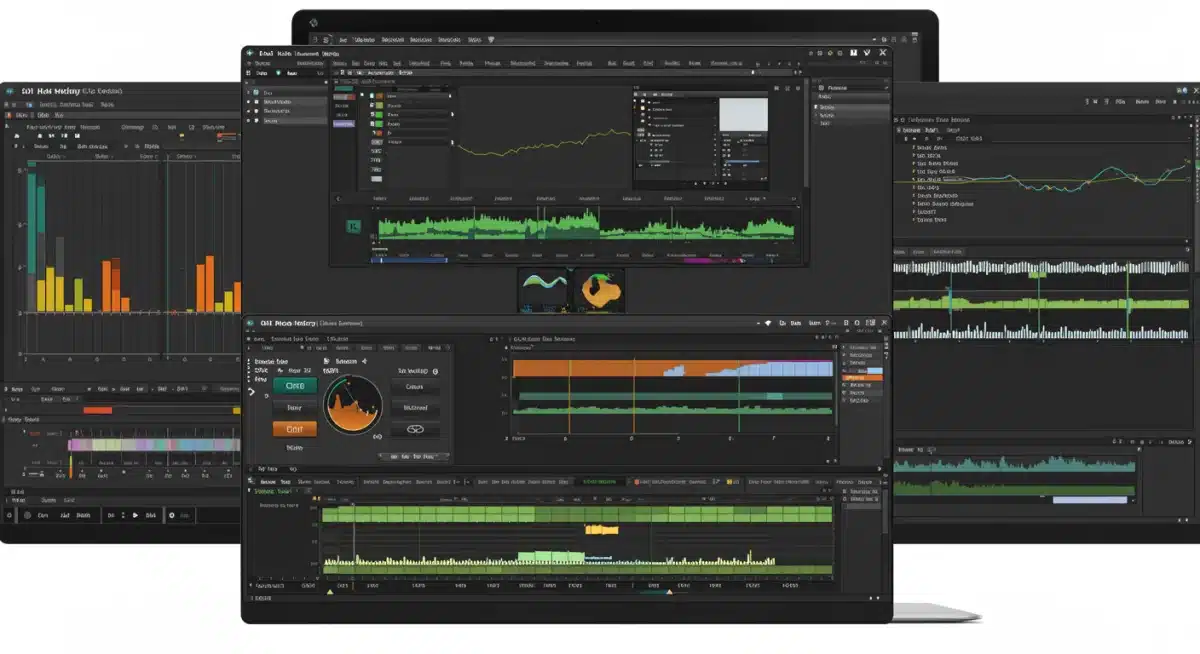
DaVinci Resolve Studio, on the other hand, is highly optimized, particularly when paired with high-end GPUs. Its Fusion and Fairlight pages offer real-time performance that often surpasses competitors, making it ideal for editors who prioritize speed in VFX and audio mixing. The integrated nature of Resolve’s workflow means fewer exports and imports between applications, saving valuable time and reducing potential errors.
Avid Media Composer is built for reliability. Its performance might not always be about blazing speed in real-time effects as much as it is about consistent, stable playback and superior media handling, even with vast project files. Its strength in workflow lies in its collaborative capabilities, allowing multiple editors to work on the same project simultaneously without performance degradation, a key factor for large studio productions.
Ultimately, the choice depends on your specific workflow. If you need extensive third-party integration and cloud flexibility, Premiere Pro might be your best bet. For an all-in-one powerhouse with exceptional color and VFX performance, Resolve is compelling. If rock-solid stability and advanced collaboration for enterprise-level projects are paramount, Avid Media Composer remains the king.
Pricing Models and Value Proposition
The financial commitment associated with professional video editing software can significantly influence a creator’s decision. The three leading suites – Adobe Premiere Pro, DaVinci Resolve Studio, and Avid Media Composer – each offer distinct pricing models, reflecting their target audiences and value propositions for US creators in 2026.
Understanding the Cost Structures
- Adobe Premiere Pro: Operates on a subscription model, typically as part of the Creative Cloud suite. This offers access to continuous updates, cloud storage, and a vast array of integrated applications. While a recurring expense, it provides flexibility and access to the latest features.
- DaVinci Resolve Studio: Follows a one-time purchase model for its full-featured Studio version, which includes all updates for a significant period. A highly capable free version is also available, making it incredibly accessible for aspiring professionals and budget-conscious creators.
- Avid Media Composer: Offers both subscription and perpetual license options, often tiered based on features and support levels. Its pricing can be higher, reflecting its enterprise focus and advanced collaborative tools. Institutional licenses are also common.
The value proposition extends beyond the initial or recurring cost. Considerations include the availability of free updates, the cost of additional plugins or assets, and the return on investment in terms of workflow efficiency and project delivery capabilities. For independent creators, Resolve’s one-time purchase or free option can be highly attractive, minimizing ongoing operational costs.
Larger studios or those requiring extensive software integration might find the Creative Cloud subscription for Premiere Pro more beneficial due to the ecosystem’s breadth. Meanwhile, enterprise clients often prioritize Avid’s robust support, stability, and advanced collaboration features, justifying its higher price point.
Assessing the true value requires a holistic view, balancing upfront costs, long-term expenses, and the specific functional benefits each software brings to your unique professional workflow.
Future Trends and Recommendations for 2026
As we look to the remainder of 2026 and beyond, several key trends will continue to shape the video editing landscape, influencing the development and adoption of these leading software suites. AI will become even more embedded, offering predictive editing, advanced content generation, and sophisticated automation that frees up editors for more creative tasks. Cloud collaboration will evolve to offer real-time, low-latency editing from anywhere, further decentralizing production workflows.
Immersive media, including VR, AR, and volumetric video, will demand new tools and pipelines, pushing the boundaries of traditional NLEs. The integration of gaming engine technology for real-time rendering and virtual production will also become more prevalent. Each of the reviewed suites is positioning itself to capitalize on these trends, albeit at different paces and with varying degrees of success.
Recommendations Based on Creator Profile
- For Freelancers & Independent Filmmakers: DaVinci Resolve Studio often provides the best value. Its comprehensive toolset and one-time purchase model are ideal for those managing their entire post-production pipeline and budget.
- For Creative Professionals in Diverse Fields: Adobe Premiere Pro is excellent for those who leverage a broad range of creative tools, benefiting from the seamless integration within the Creative Cloud ecosystem.
- For Broadcast & Enterprise Studios: Avid Media Composer remains the top choice for large-scale, collaborative projects demanding unparalleled media management and stability.
Ultimately, the best video editing suite for you in 2026 will depend on your specific needs, budget, and long-term career aspirations. We recommend taking advantage of free trials where available to get hands-on experience before making a final commitment. The industry is dynamic, and staying informed about updates and emerging technologies will be key to maintaining a competitive edge.
Investing time in understanding your workflow, identifying pain points, and then matching those against the strengths of each software will lead to the most informed and beneficial decision. The future of video editing is exciting, and choosing the right tools will empower you to create compelling content for years to come.
| Key Feature | Description |
|---|---|
| Adobe Premiere Pro | Industry-standard, Creative Cloud integration, AI-powered automation, subscription model. |
| DaVinci Resolve Studio | All-in-one suite, superior color grading, integrated VFX/audio, one-time purchase. |
| Avid Media Composer | Broadcast/enterprise focus, robust media management, advanced collaboration, high stability. |
| Key Trend 2026 | Increased AI integration, advanced cloud collaboration, and immersive media support. |
Frequently Asked Questions About Video Editing Suites
For beginners, DaVinci Resolve’s free version offers an incredible entry point with professional tools, though it has a learning curve. Premiere Pro, with its vast community resources, is also a strong contender for those starting out.
This depends on budget and workflow. Subscriptions (like Premiere Pro) offer continuous updates and ecosystem access. One-time purchases (like Resolve Studio) provide long-term cost savings but might have less frequent major feature releases.
For optimal performance in 2026, aim for a powerful multi-core CPU (e.g., Intel i9 or AMD Ryzen 9), 32GB+ RAM, a high-end GPU (NVIDIA RTX 40 series or AMD RX 7000 series), and fast NVMe SSD storage.
AI integration is increasingly crucial. It automates repetitive tasks like transcription, color correction, and object tracking, significantly boosting efficiency and allowing creators to focus more on the creative aspects of their projects.
Yes, all three leading suites are designed to handle 8K and HDR content, though performance will heavily depend on your system’s hardware. DaVinci Resolve is particularly strong in HDR workflows due to its advanced color tools.
Conclusion
In 2026, the choice among the leading video editing suites for professional US creators is more nuanced than ever, reflecting a diverse landscape of creative needs and technological advancements. Adobe Premiere Pro continues to excel with its expansive ecosystem and AI innovations, making it a versatile choice for a broad range of multimedia professionals. DaVinci Resolve Studio stands out as an all-in-one powerhouse, particularly for those prioritizing exceptional color grading and a comprehensive, integrated workflow at a competitive price point. Avid Media Composer maintains its stronghold in broadcast and enterprise environments, offering unmatched stability and collaborative capabilities essential for large-scale productions. Ultimately, the optimal choice hinges on a thorough evaluation of individual project requirements, budget constraints, and long-term workflow preferences, ensuring that the selected tool truly empowers creativity and efficiency in the dynamic world of professional video production.