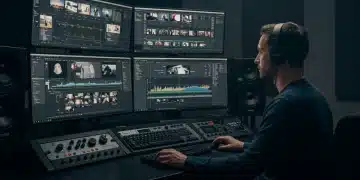
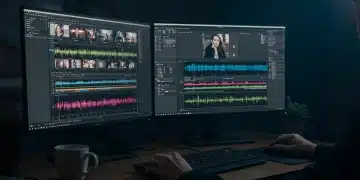
Video Editing Software: Your US Content Strategy for 2025

Choosing the right video editing software is crucial for content creators in the US in 2025, as it directly impacts the quality, efficiency, and engagement of video content tailored for American audiences.
In 2025, video content remains king in the US digital landscape, but creating engaging videos requires the right tools. Selecting the appropriate video editing software: choosing the right platform for your US-based content strategy in 2025 is thus crucial, regardless of whether you’re an experienced marketing professional or a beginner looking to share your stories.
Understanding the US Video Content Landscape in 2025
The video content environment in the United States has gotten more complicated and competitive by 2025. Trends in video consumption, platform differences, and audience preferences are all important factors to take into account when developing a strategy for video editing software.
Dominant Video Content Trends
The video landscape is constantly shifting and staying current is crucial. Therefore, knowing the latest trends can guide your content-making decisions and help you connect with your audience efficiently.
- Short-Form Video Dominance: Platforms like TikTok and Instagram Reels continue to drive the demand for short, impactful videos.
- Live Streaming Growth: Live video remains a powerful tool for engagement on platforms like YouTube and Twitch.
- Interactive Video Experiences: Tools that allow viewers to interact directly with the video content are gaining traction.
- AI-Powered Video Editing: AI is becoming increasingly integrated into video editing, offering features like automatic scene detection and intelligent audio editing.
These trends indicate that video editing software should be adaptable, efficient, and equipped with the latest technologies.
Platform-Specific Considerations
Different social media platforms have different audience expectations and technological needs. Knowing these nuances is crucial for maximizing your content’s impact.
- YouTube: Favors long-form, high-quality content with excellent audio and professional editing.
- Instagram: Emphasizes visual appeal, creative transitions, and mobile-friendly formats.
- TikTok: Prioritizes short, engaging content with trendy music and effects.
- LinkedIn: Benefits from professionally produced videos that showcase expertise and insights.
In summary, the right video editing software should accommodate a range of formats, resolutions, and aspect ratios for cross-platform distribution.
To succeed in the US video content landscape in 2025, you need to understand and customize your approach to these factors. It’s important to consider not just the quality of your content, but also how well it connects with viewers on their preferred platforms.
Key Features to Look for in Video Editing Software
When assessing video editing software for your US-based content strategy in 2025, certain key features can significantly impact your workflow and the final product. These capabilities range from simple editing to powerful advanced functionality.
Essential Editing Tools
It is essential to have a solid foundation in basic editing techniques, ensuring accuracy and simplicity. Software that offers essential tools can increase the effectiveness and efficiency of your workflow and enhance the final product.
- Basic Cutting and Trimming: Precisely cut and trim video clips to remove unwanted footage and refine the pacing.
- Color Correction: Adjust the color balance, contrast, and saturation to enhance the visual appeal of your videos and maintain a consistent look.
- Audio Editing: Improve audio quality by adjusting levels, removing background noise, and adding music or sound effects.
- Text and Titles: Add engaging text overlays, titles, and captions to communicate information and add visual interest to your videos.
Advanced Capabilities for Pro-Level Content
For experienced editors and more complex projects, several advanced features can help take your videos to the next level. These incorporate visual quality, visual ingenuity, and audience engagement strategies, guaranteeing that your productions are captivating and stand out.
- Motion Graphics and Animation: Create dynamic visuals with animated titles, lower thirds, and special effects to add a professional touch.
- Visual Effects (VFX): Incorporate advanced visual effects such as compositing, green screen, and 3D elements to create stunning and immersive video experiences.
- 360° Video Editing: Edit and enhance 360° videos for immersive experiences on platforms like YouTube VR and Facebook 360.
- Multi-Cam Editing: Synchronize and edit footage from multiple cameras to create dynamic and engaging content, such as live performances or interviews.
Selecting software with these capabilities ensures that you can adapt to changing trends and create high-quality videos that satisfy the needs of the American audience in 2025.
Top Video Editing Software Options for US Content Creators in 2025
With a multitude of options available, choosing the best video editing software for your US-based content strategy in 2025 can be overwhelming. Here’s a curated selection of top contenders that cater to different needs and skill levels.

Adobe Premiere Pro
Adobe Premiere Pro is widely regarded as the industry-standard video editing software. It consistently leads the pack because of its comprehensive features, sophisticated capabilities, and seamless compatibility with other Adobe Creative Cloud apps, making it perfect for professionals.
Final Cut Pro
Available exclusively for macOS, Final Cut Pro offers a streamlined interface and powerful performance, optimized for Apple’s hardware and software ecosystem. It is well-known for its speed, efficiency, and user-friendliness, and it is frequently chosen by filmmakers and video editors.
DaVinci Resolve
DaVinci Resolve is known for its excellent color grading capabilities and is a strong contender for video editing. It provides a full range of capabilities suitable for both editing and improving color in videos. Its sophisticated toolset makes it a popular option for professionals who want to produce visually appealing content.
These video editing software options each provide unique advantages and cater to various skill levels and project requirements. Adobe Premiere Pro distinguishes out for its industry-standard capabilities and interface with the Adobe Creative Cloud, Final Cut Pro for its efficiency and Apple ecosystem optimization, and DaVinci Resolve for its excellent color grading capabilities.
Optimizing Your Workflow with the Right Software
Choosing excellent video editing software is only the first step. Maximizing the software’s potential to optimize your workflow will definitely boost your productivity and creativity. Consider these factors to streamline your editing process.
Integration with Other Tools and Platforms
Compatibility with other programs and systems is essential for enabling a smooth workflow and assuring interoperability across your digital environment. This integration allows for easy data flow, saving time and lowering the possibility of compatibility difficulties.
The right software should seamlessly integrate with:
- Stock Footage Libraries: Access and import stock footage from services like Shutterstock and Getty Images directly within the editing software.
- Audio Editing Software: Roundtrip editing capabilities with audio software like Adobe Audition or Audacity for advanced sound design and mixing.
- Project Management Tools: Integration with project management platforms like Asana or Trello for collaborative workflows and task management.
Collaboration Features for Team Projects
When working in a team, the ability to collaborate efficiently is critical. Effective collaboration promotes communication, streamlines operations, and ensures that all team members are in sync, resulting in a cohesive and successful outcome.
Software with robust collaboration features enables:
- Shared Project Files: Access and edit the same project files simultaneously with real-time updates.
- Version Control: Track changes, revert to previous versions, and manage different iterations of the video project.
- Commenting and Annotations: Provide feedback and make annotations directly on the video timeline for clear and efficient communication.
By optimizing your workflow with the right software and integration, you can enhance productivity, creativity, and collaboration, ultimately leading to higher-quality video content for your US audience in 2025.
Future-Proofing Your Video Editing Capabilities
The realm of video editing software is always evolving, propelled by technological improvements and changing user expectations. Taking measures to future-proof your video editing skills can help you stay competitive and adaptable in the face of shifting trends.
Staying Updated with Software Updates
Keeping up with software updates and improvements is critical for utilizing new features, bug fixes, and performance enhancements. Regularly upgrading your video editing software ensures that you have access to the latest tools and techniques, allowing you to create cutting-edge content.
Consider the following best practices:
- Enable Automatic Updates: Set your software to automatically download and install updates to ensure you always have the latest version.
- Review Release Notes: Stay informed about new features, improvements, and bug fixes by reading the release notes that accompany each update.
- Test Updates on Non-Critical Projects: Before implementing updates on critical projects, test them on non-critical projects to ensure compatibility and stability.
Learning New Techniques and Tools
To remain competitive in the ever-changing world of video editing, you must commit to continuous learning and skill development. By expanding your knowledge and skills, you can explore new creative possibilities and easily adapt to new trends.
Explore opportunities to learn and improve your skills:
- Online Courses and Tutorials: Enroll in online courses and tutorials on platforms like Skillshare, Udemy, and YouTube to learn new techniques and tools.
- Industry Conferences and Workshops: Attend industry events and workshops to network with other professionals, exchange ideas, and learn about the latest trends and technologies.
- Experiment with New Software and Plugins: Explore new software and plugins to expand your creativity and discover new ways to enhance your video content.

Budget Considerations and ROI for Video Editing Software
When it comes to choosing video editing software, it’s crucial to consider not only the features and capabilities but also the budget and return on investment (ROI). By balancing your financial obligations with your creative goals, you can choose software that offers the best value for your US-based content strategy in 2025.
Free vs. Paid Software Options
A range of free and paid video editing tools are available, each with its own set of benefits and drawbacks. Free software can be a decent place to start, but it frequently has restrictions, while premium software offers more options and capabilities.
Evaluate the pros and cons:
- Free Software: Often offers basic editing features and is suitable for beginners or those with limited budgets. Examples include HitFilm Express and DaVinci Resolve (free version).
- Paid Software: Typically provides a wider range of features, better performance, and dedicated support. Examples include Adobe Premiere Pro, Final Cut Pro, and DaVinci Resolve Studio.
Calculating the Return on Investment
Before investing in video editing software, it is important to estimate its possible return on investment in terms of enhanced production quality, efficiency, and revenue development. This study can assist you in making wise choices and ensuring that your software investment is consistent with your business objectives.
Consider the following factors:
- Increased Productivity: Will the software’s features streamline your workflow and reduce editing time?
- Improved Content Quality: Will the software’s capabilities enhance the visual and audio quality of your videos, leading to increased engagement and viewership?
- Revenue Generation: Will the software enable you to create higher-quality content that attracts more clients, sponsors, or advertising revenue?
By carefully considering your budget and ROI, you can make an informed decision about which video editing software offers the best value for your needs and helps you achieve your goals in the US market.
| Key Point | Brief Description |
|---|---|
| 🎬 Content Trends | Short-form, live, and interactive videos are trending. |
| 🛠️ Key Features | Basic editing plus motion graphics and VFX. |
| 💻 Software Options | Premiere Pro, Final Cut Pro, DaVinci Resolve are top options. |
| 🤝 Collaboration | Shared files and real-time updates improve teamwork. |
FAQ
▼
For beginners, user-friendly options like Filmora or the free version of DaVinci Resolve can be a great starting point. These platforms offer intuitive interfaces and essential editing tools without overwhelming complexity.
▼
Integration is crucial for team collaboration. Software that supports shared project files, version control, and real-time commenting can significantly streamline the collaborative editing process.
▼
Key audio editing features include noise reduction, audio leveling, and the ability to add music and sound effects. These features help ensure your videos have clear and engaging audio.
▼
To stay updated, follow industry blogs, attend online courses, and participate in webinars. Additionally, regularly check for software updates and read release notes to understand new features and improvements.
▼
Consider factors like increased productivity, improved content quality, and potential revenue generation. A good ROI indicates that the software investment is contributing positively to your business goals.
Conclusion
Choosing the right video editing software for your US-based content strategy in 2025 requires careful consideration of the latest trends, key features, and budget constraints. By staying informed and adapting to the ever-evolving landscape, you can ensure that your video content remains engaging, effective, and ahead of the competition.